Scheduled Library Jobs
Each library can run scheduled jobs that periodically refresh metadata for the series and books it contains. A job runs on its own cron, against one provider plugin, and writes only the field groups you allow.
This is the right tool when you want to keep ratings, reading status, or counts in sync with an external source on a recurring schedule, without re-running the full library scan.
Where to find it
Open a library, then click Scheduled Jobs in the library's header (or navigate to /libraries/{id}/jobs). The page is empty by default; there are no built-in jobs.
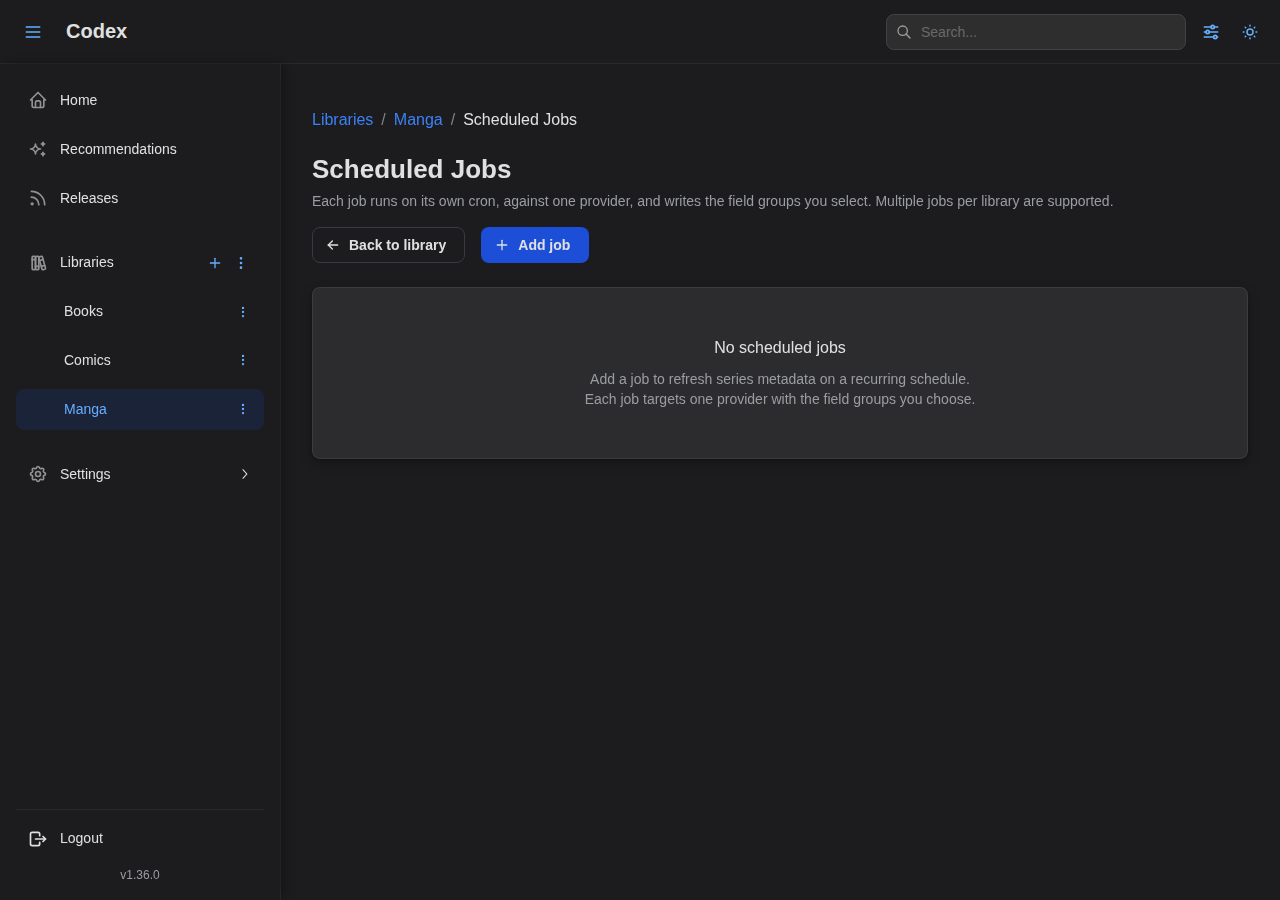
Click Add job to open the editor.
The job editor
A job is a small bundle of: a name, an enable toggle, a cron schedule, a provider, a scope, and the field groups it's allowed to write.
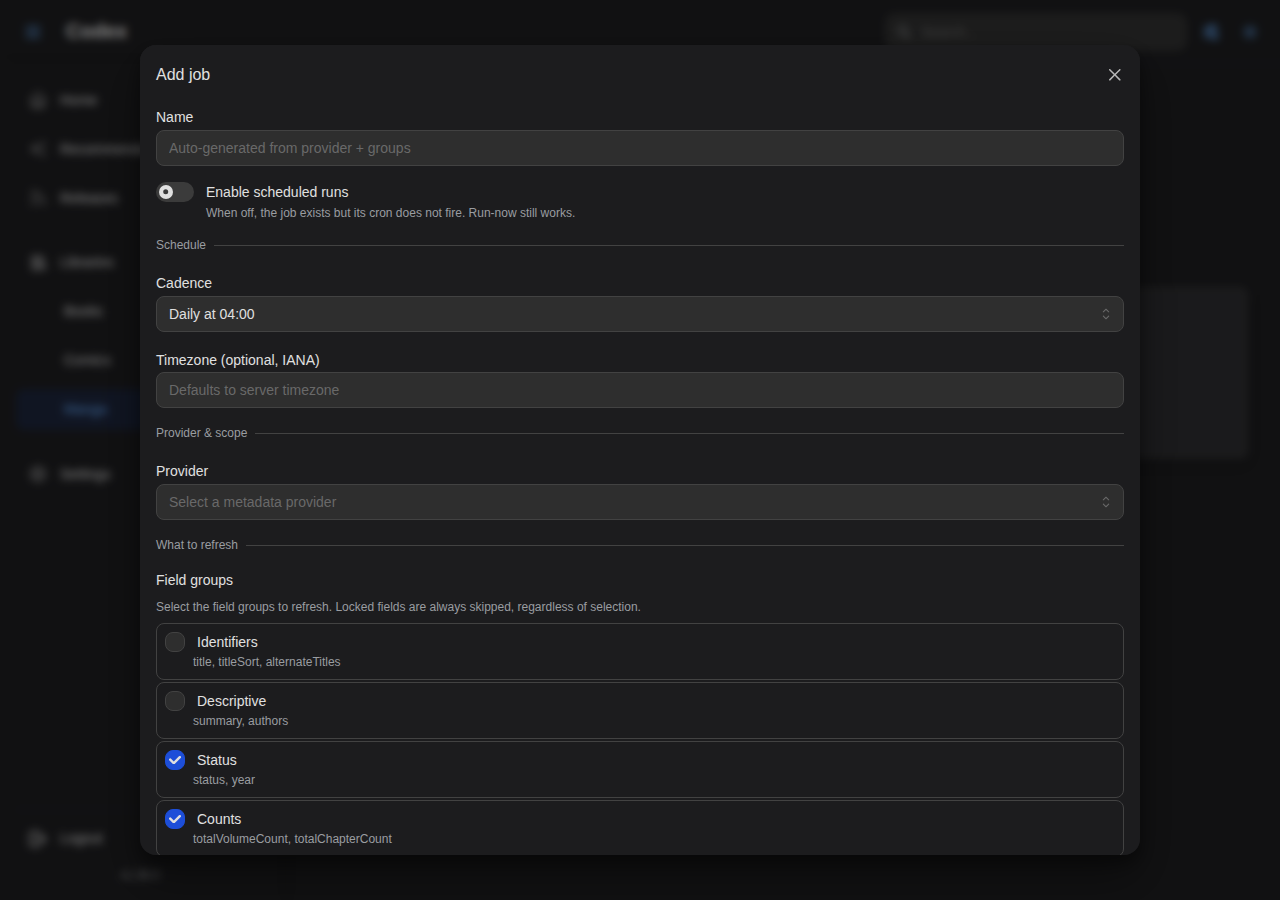
Name
Optional. Auto-generated from the provider and the field groups if left blank (e.g. "AniList Sync: ratings, status, counts"). Useful when you have multiple jobs against the same provider.
Schedule
A Cadence dropdown picks one of the common cron presets, or a free-form custom expression:
| Preset | Cron | Use case |
|---|---|---|
| Hourly (top of the hour) | 0 * * * * | Aggressive sync (rare) |
| Every 6 hours | 0 */6 * * * | Active series with frequent updates |
| Daily at 04:00 | 0 4 * * * | Default; runs overnight |
| Weekly (Sunday 04:00) | 0 4 * * 0 | Slow-moving libraries |
| Custom | any 5-field cron | Exotic schedules |
A timezone (IANA, e.g. America/Los_Angeles) can optionally be set per job. Without it, cron evaluates against the server's local time.
The Enable scheduled runs switch controls whether the cron actually fires. When off, the job still exists and Run now still works, but the scheduler skips it.
Provider
The provider dropdown lists every installed plugin that can act as a metadata provider (i.e. plugins whose manifest declares metadataProvider capability for series or book, or both). The scope picker auto-corrects when the chosen provider only supports one side: pick a books-only plugin and the scope flips to Books only.
Examples of providers you might use here:
- AniList Sync for manga ratings and status (when you've connected your account).
- Open Library for ISBN-keyed book metadata refreshes.
- MangaBaka for cross-source manga metadata.
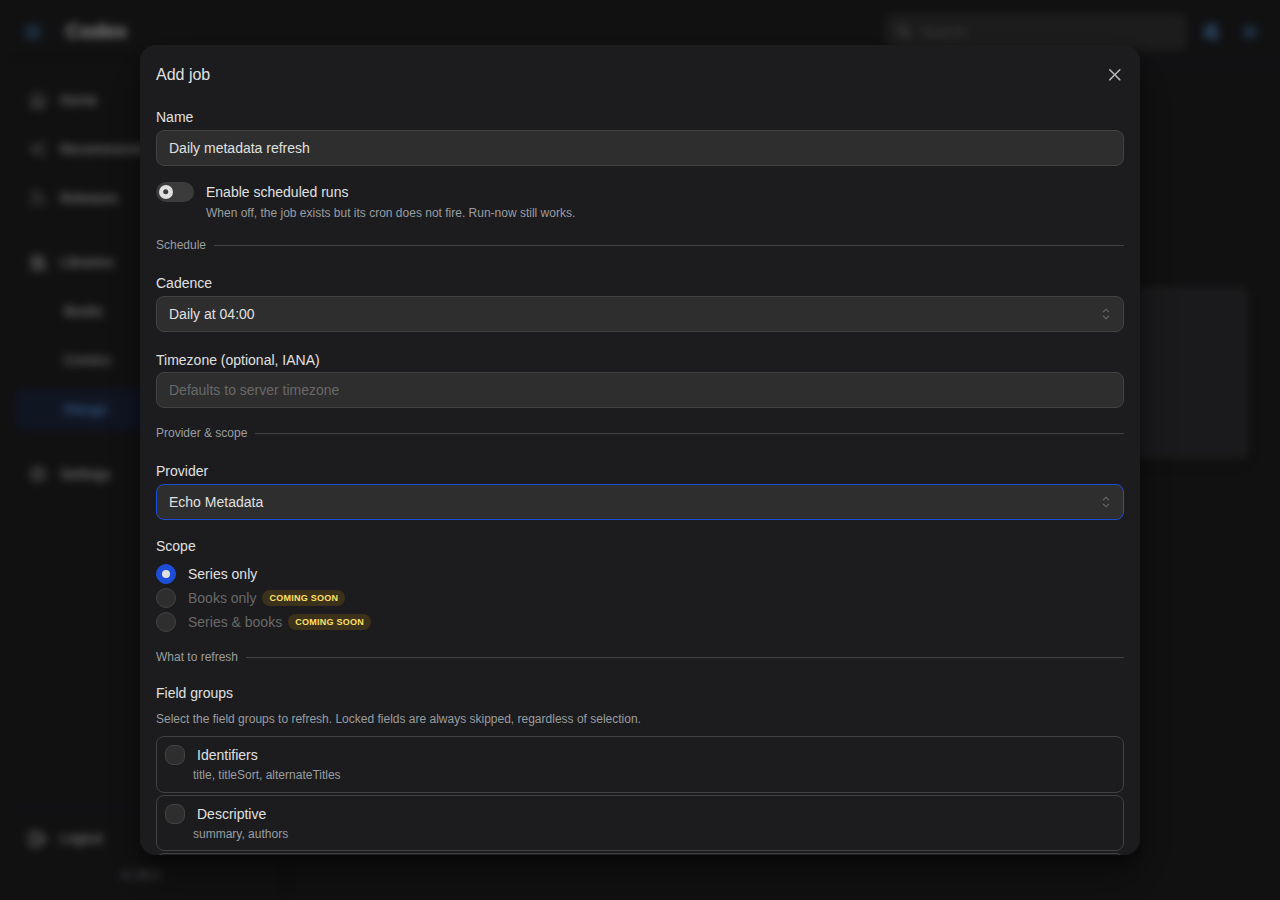
Scope
- Series only: refresh series-level metadata (title, summary, status, genres, etc.).
- Books only: refresh book-level metadata (issue titles, page counts, ISBNs, etc.).
- Series + books: both in the same run. Only available when the provider declares both capabilities.
Field groups
Codex groups writable fields into named buckets so you can enable a coherent set without naming individual fields. Typical groups for a series provider:
- ratings: community average + per-source ratings.
- status: publication status (ongoing, completed, hiatus).
- counts: expected book/volume counts.
- summary: plot summary.
- tags / genres: taxonomy.
- alternate_titles: non-canonical title variants.
The job will only write fields that are both in a selected group and present in the provider's response. Anything outside the selected groups is silently dropped, even if the provider returned it.
You can add specific extra fields outside of any group via the advanced section if you need finer-grained control.
Advanced: existing-IDs-only, skip-recent, concurrency
Three knobs in the Advanced section worth knowing about:
- Existing source IDs only (default on): restrict the job to series/books that already have an external ID for the chosen provider. Prevents the job from doing fresh fuzzy-search lookups against the provider, which is what the per-series Fetch metadata action is for.
- Skip recently synced within (s) (default 3600): don't refresh entries that were synced from this provider within the last N seconds. Cheap way to avoid hammering the provider when the cron fires more often than the data actually changes.
- Max concurrency (default 4): how many parallel provider lookups the job runs. Tune down if the provider rate-limits you.
Running a job manually
Each job row has a Run now action (the play icon). It bypasses the cron and queues the job to start immediately. Useful right after creating a job to validate it does what you expect, or to refresh manually after editing a metadata field upstream.
The job runs as a regular task; you can watch its progress in Settings → Tasks.
Dry run
The job editor's Preview action does a dry run against a small sample (5 entries by default) and shows you what fields would change without actually writing anything. Available only after the job has been saved at least once. Use it to sanity-check field-group selections before flipping the cron on.
How this differs from per-series "Fetch metadata"
| Library job | Series action | |
|---|---|---|
| Trigger | Cron + run-now | User-initiated per series |
| Scope | Whole library, filtered by existingSourceIdsOnly | One series at a time |
| Best for | Periodic refreshes (ratings, status, counts) | First-time matching, fuzzy search |
| Field control | Field groups (allow-list) | Full provider output |
| Idempotency | Skip-recent + locks | Always writes |
In short: library jobs maintain; series actions discover. Use the per-series Fetch metadata action to first match a series to a provider; once it has a stable external ID, a library job keeps the metadata fresh without you having to revisit it.
Permissions and locks
Like any other metadata write path, library jobs respect:
- Plugin permissions: the per-plugin allow-list configured in the plugin's settings modal. A job can never write a field the plugin isn't allowed to write.
- Field locks: a locked field on a series/book is never overwritten, regardless of provider response.
- Job-level field groups: the additional allow-list you configure per job, layered on top of the plugin's permissions.
The intersection of all three governs what actually changes. If a job seems to be doing nothing, check each layer in turn.
Troubleshooting
"Plugin disabled" or "no metadata provider plugins available"
The provider dropdown only lists enabled plugins with the right capabilities. Check Settings → Plugins: if the plugin is listed but disabled (failed health checks, missing config), enable it and re-open the job editor.
Job ran but no fields changed
The most common causes, in order:
- All target fields were locked. Check the series detail page for lock icons on the fields you expected to update.
existingSourceIdsOnlyis on and the series doesn't have the matching external ID. Run the per-series Fetch metadata action once to attach an ID, then the job will pick it up on the next run.skipRecentlySyncedWithinSexcluded everything. Lower the value or set it to 0 to force a refresh.
Job didn't fire on schedule
Check Settings → Tasks for any failed library_job entries. Pre-existing failures will surface there with the upstream error. Also confirm the job's Enable scheduled runs switch is on; cron is silent when it's off.