Preprocessing Rules & Auto-Match Conditions
Codex provides powerful tools to customize how metadata is searched and when auto-matching occurs. This guide covers title preprocessing rules, search query templates, auto-match conditions, and external ID tracking.
Overview
When Codex auto-matches series with metadata plugins, it follows this flow:
                        SCAN TIME
┌────────────────────────────────────────────────────────────────┐
│  Directory Name: "One Piece (Digital)"                         │
│       ↓                                                        │
│  series.name = "One Piece (Digital)" (preserved for files)     │
│       ↓                                                        │
│  Library title_preprocessing_rules applied                     │
│       ↓                                                        │
│  series_metadata.title = "One Piece" (cleaned for display)     │
└────────────────────────────────────────────────────────────────┘
                           ↓
                    AUTO-MATCH TIME
┌────────────────────────────────────────────────────────────────┐
│  1. Check library auto_match_conditions → skip if fails        │
│  2. Check plugin auto_match_conditions → skip if fails         │
│  3. If use_existing_external_id && external ID exists:         │
│     → Call plugin.get(external_id) directly                    │
│  4. Apply plugin search_query_template (Handlebars)            │
│  5. Apply plugin search_preprocessing_rules                    │
│  6. Call plugin.search(query)                                  │
│  7. Save external ID for future use                            │
└────────────────────────────────────────────────────────────────┘
Title Preprocessing Rules
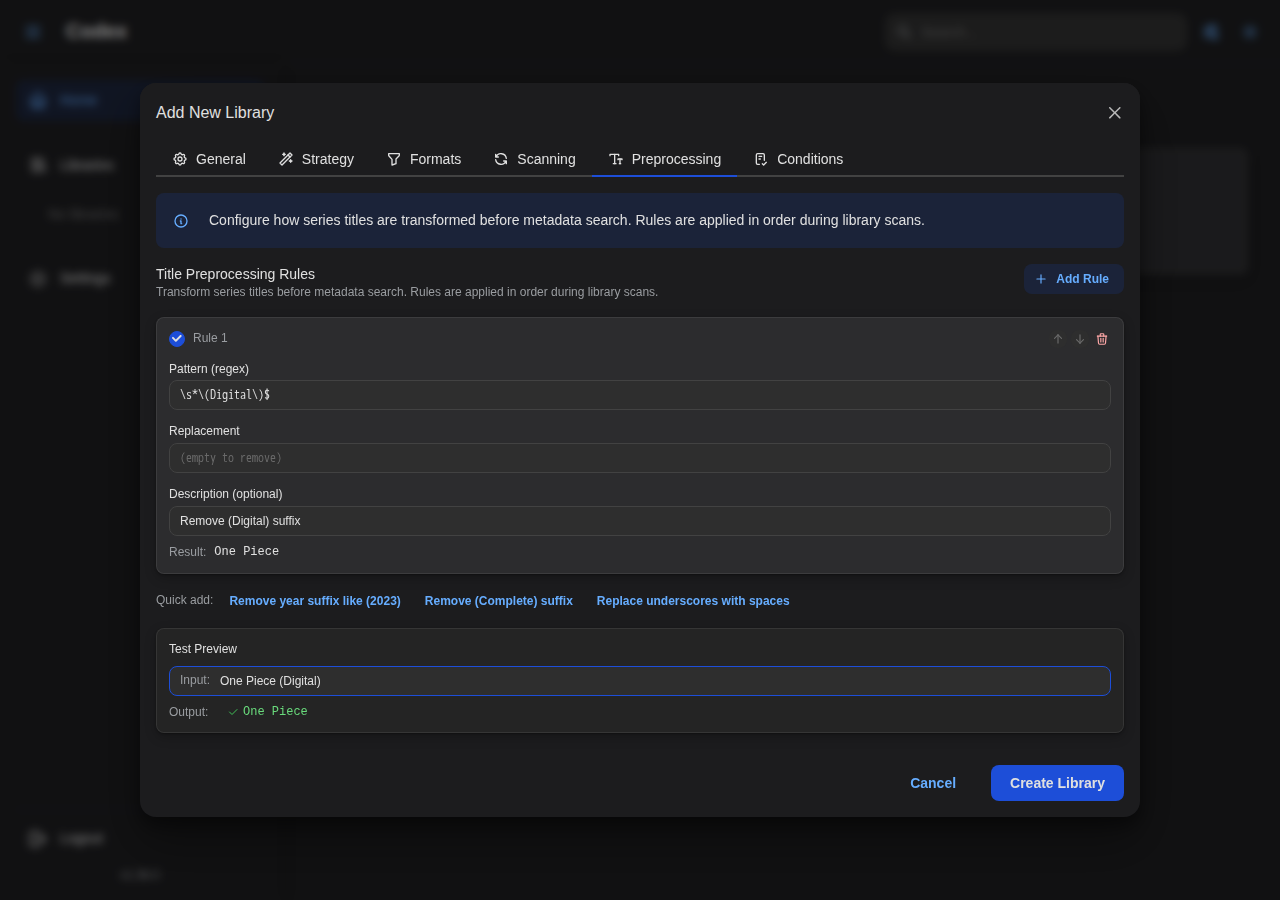
Preprocessing rules use regex patterns to clean up series titles. They're applied during library scanning to transform directory names into clean display titles.
Configuration Location
- Library Settings → Preprocessing tab
- Applied when new series are created during scan
Rule Structure
[
  {
    "pattern": "\\s*\\(Digital\\)$",
    "replacement": "",
    "description": "Remove (Digital) suffix",
    "enabled": true
  }
]
| Field | Type | Required | Description |
|---|---|---|---|
pattern | string | Yes | Regex pattern (Rust regex syntax) |
replacement | string | Yes | Replacement text (supports $1, $2 for capture groups) |
description | string | No | Human-readable description |
enabled | boolean | No | Whether rule is active (default: true) |
Common Patterns
Remove "(Digital)" Suffix
{
  "pattern": "\\s*\\(Digital\\)$",
  "replacement": "",
  "description": "Remove (Digital) suffix"
}
Before: One Piece (Digital) → After: One Piece
Remove "[Author]" Prefix
{
  "pattern": "^\\[[^\\]]+\\]\\s*",
  "replacement": "",
  "description": "Remove [Author] prefix"
}
Before: [Toriyama Akira] Dragon Ball → After: Dragon Ball
Normalize Hyphens to Spaces
{
  "pattern": "-",
  "replacement": " ",
  "description": "Replace hyphens with spaces"
}
Before: My-Hero-Academia → After: My Hero Academia
Remove Volume Information
{
  "pattern": "\\s*[Vv]ol\\.?\\s*\\d+.*$",
  "replacement": "",
  "description": "Remove volume suffix"
}
Before: Batman Vol. 1 - The Court of Owls → After: Batman
Remove Year in Parentheses
{
  "pattern": "\\s*\\(\\d{4}\\)$",
  "replacement": "",
  "description": "Remove year suffix"
}
Before: Spider-Man (2018) → After: Spider-Man
Extract Series from "Series - Subtitle" Format
{
  "pattern": "^([^-]+)\\s*-.*$",
  "replacement": "$1",
  "description": "Extract series name before hyphen"
}
Before: Batman - The Dark Knight Returns → After: Batman
Rule Order
Rules are applied in order. Use this to chain transformations:
[
  {
    "pattern": "\\s*\\(Digital\\)$",
    "replacement": "",
    "description": "1. Remove (Digital)"
  },
  {
    "pattern": "\\s*\\(\\d{4}\\)$",
    "replacement": "",
    "description": "2. Remove year"
  },
  {
    "pattern": "\\s+",
    "replacement": " ",
    "description": "3. Normalize whitespace"
  }
]
Search Query Templates
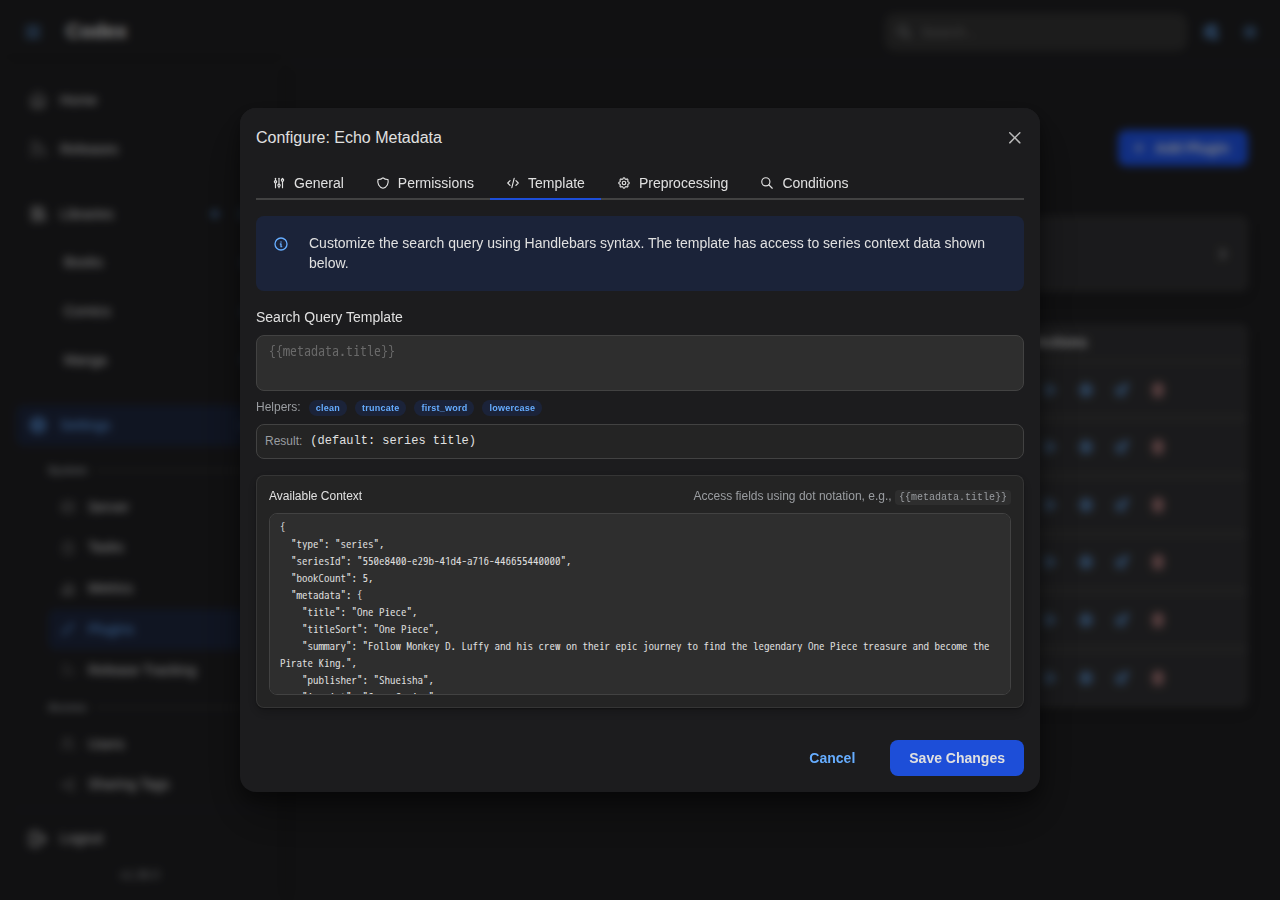
Plugins can use Handlebars templates to customize the search query sent to metadata providers.
Configuration Location
- Admin Settings → Plugins → Configure plugin (gear icon) → Template tab
Template Syntax
Templates use Handlebars syntax with access to series metadata.
Simple Template
Uses the preprocessed series title as-is.
Include Year
Result: One Piece 1997
Conditional Year
Result with year: One Piece (1997)
Result without year: One Piece
Available Fields
Both templates and conditions have access to the same unified series context. Fields use camelCase format.
| Field | Type | Description |
|---|---|---|
metadata.title | string | Series title (after preprocessing) |
metadata.titleSort | string | Sort title |
metadata.year | number | Publication year |
metadata.publisher | string | Publisher name |
metadata.language | string | Language code |
metadata.status | string | Publication status |
metadata.genres | array | Genre names |
metadata.tags | array | Tag names |
bookCount | number | Number of books in series |
externalIds.<source> | object | External ID info for a source |
customMetadata.<field> | any | Custom metadata field |
Available Helpers
Codex provides these Handlebars helpers (matching the frontend helpers):
| Helper | Description | Example |
|---|---|---|
lowercase | Convert to lowercase | {{lowercase metadata.title}} |
uppercase | Convert to uppercase | {{uppercase metadata.title}} |
trim | Remove leading/trailing whitespace | {{trim value}} |
truncate | Limit string length | {{truncate value 50 "..."}} |
replace | Replace substring | {{replace value "old" "new"}} |
split | Split string to array | {{split value ","}} |
join | Join array with separator | {{join array ", "}} |
default | Provide fallback value | {{default value "Unknown"}} |
urlencode | URL-encode string | {{urlencode value}} |
padStart | Pad string start | {{padStart value 3 "0"}} |
length | Get string/array length | {{length value}} |
lookup | Dynamic property access | {{lookup object key}} |
exists | Check if value exists | {{#exists value}}...{{/exists}} |
ifEquals | Conditional equality | {{#ifEquals a b}}...{{/ifEquals}} |
ifNotEquals | Conditional inequality | {{#ifNotEquals a b}}...{{/ifNotEquals}} |
gt | Greater than | {{#gt a b}}...{{/gt}} |
lt | Less than | {{#lt a b}}...{{/lt}} |
and | Logical AND | {{#and a b}}...{{/and}} |
or | Logical OR | {{#or a b}}...{{/or}} |
math | Arithmetic | {{math a "+" b}} |
includes | Array contains | {{#includes array value}}...{{/includes}} |
capitalize | Capitalize first letter | {{capitalize value}} |
Template Examples
Provider-Specific Formatting
Result: one-piece
Include Publisher for Disambiguation
Result: Batman DC Comics
Search Preprocessing Rules
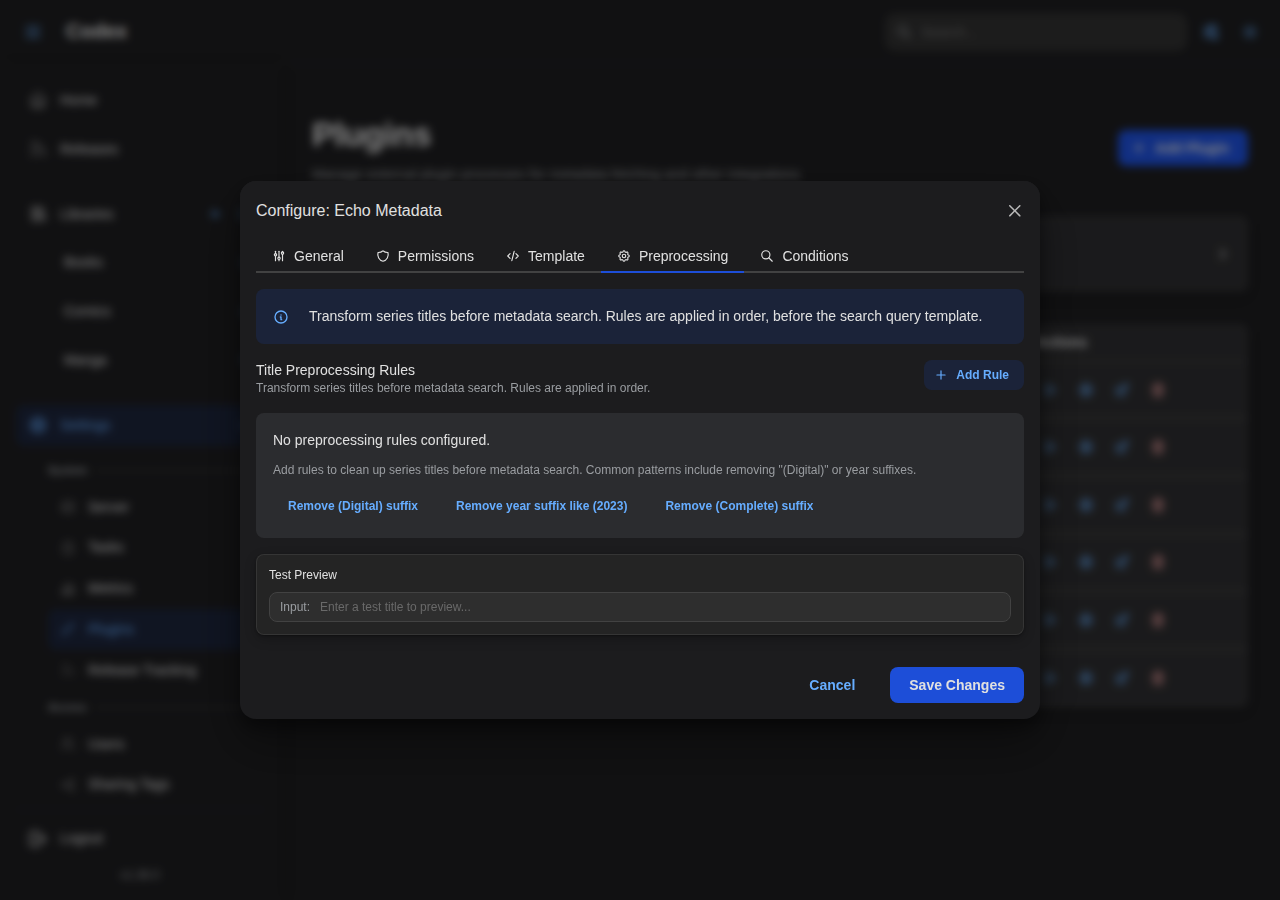
Additional regex rules can be applied to the search query after template rendering. These work the same as title preprocessing rules but are applied at search time.
Configuration Location
- Admin Settings → Plugins → Configure plugin (gear icon) → Preprocessing tab
Use Cases
- Remove characters that break specific provider searches
- Transliterate or normalize text for better matching
- Apply plugin-specific formatting requirements
Example
For a provider that doesn't handle colons well:
[
  {
    "pattern": ":",
    "replacement": "",
    "description": "Remove colons for provider compatibility"
  }
]
Auto-Match Conditions
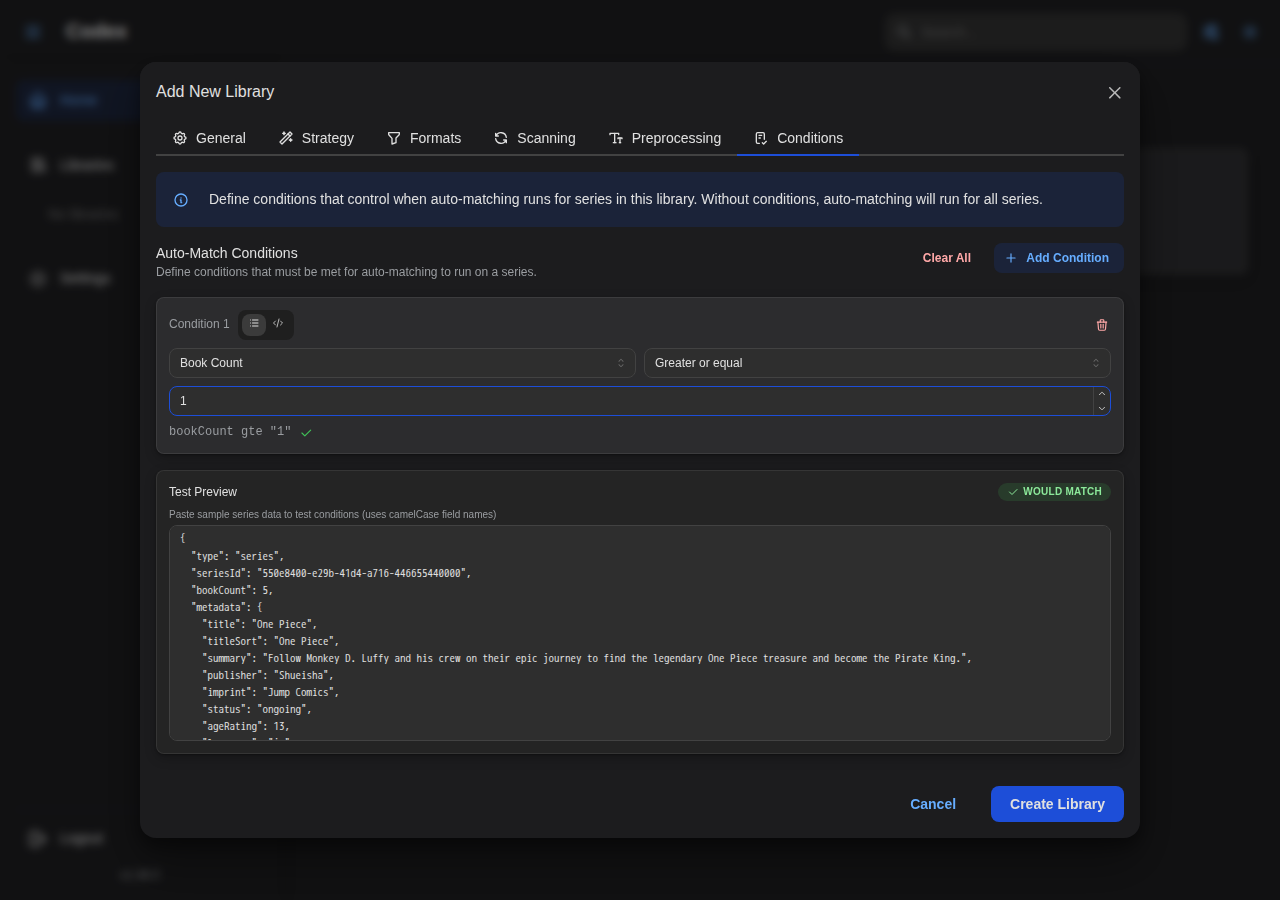
Control when auto-matching should occur based on series state. Conditions prevent unnecessary API calls and give you fine-grained control over the matching process.
Configuration Locations
- Library Settings → Auto-match conditions (applies to all plugins)
- Admin Settings → Plugins → Configure plugin (gear icon) → Conditions tab (applies to this plugin only)
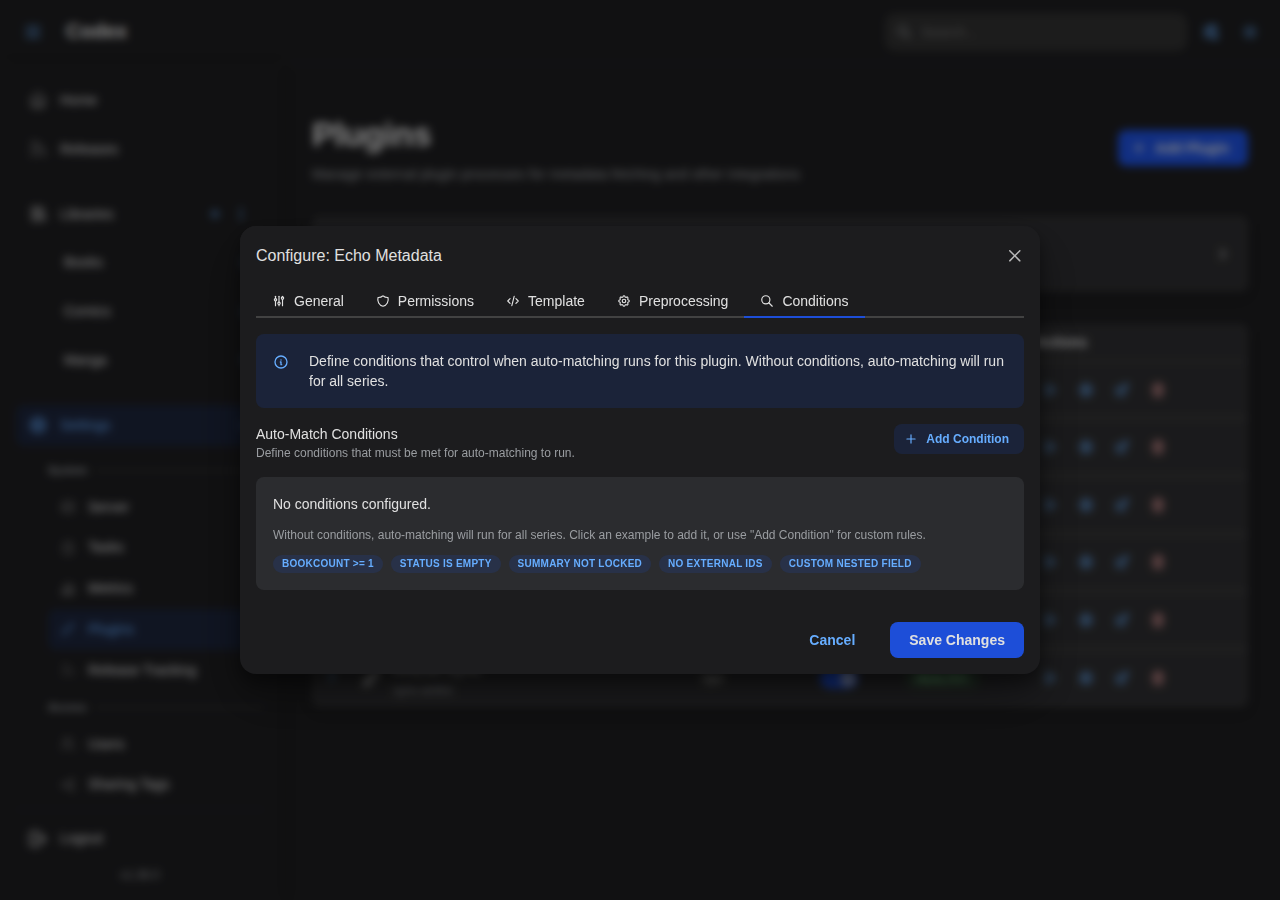
Condition Structure
{
  "mode": "all",
  "rules": [
    {
      "field": "externalIds.plugin:mangabaka",
      "operator": "is_null"
    },
    {
      "field": "bookCount",
      "operator": "gte",
      "value": 1
    }
  ]
}
:::info Field Path Format
Condition field paths use camelCase format (e.g., bookCount, externalIds, metadata.titleSort). For backwards compatibility, snake_case paths are also supported (e.g., book_count, external_ids, metadata.title_sort), but camelCase is recommended as it matches the JSON output format.
:::
Condition Modes
| Mode | Behavior |
|---|---|
all | All rules must pass (AND logic) |
any | At least one rule must pass (OR logic) |
Available Fields
The series context provides access to all series data for condition evaluation. Fields use camelCase format.
Basic Fields
| Field | Type | Description |
|---|---|---|
bookCount | number | Number of books in series |
External ID Fields
| Field | Type | Description |
|---|---|---|
externalIds.count | number | Total number of external IDs |
externalIds.<source> | string/null | External ID for specific source |
External ID sources use the format plugin:<name> (e.g., plugin:mangabaka).
Metadata Fields
| Field | Type | Description |
|---|---|---|
metadata.title | string | Series title |
metadata.titleSort | string | Sort title |
metadata.summary | string | Series summary/description |
metadata.year | number | Publication year |
metadata.language | string | Language code |
metadata.status | string | Publication status |
metadata.publisher | string | Publisher name |
metadata.imprint | string | Publisher imprint |
metadata.ageRating | number | Age rating |
metadata.readingDirection | string | Reading direction (ltr/rtl) |
metadata.totalVolumeCount | number | Expected total volume count (integer) |
metadata.totalChapterCount | number | Expected total chapter count (decimal) |
metadata.genres | array | Genre names |
metadata.tags | array | Tag names |
Lock Fields
| Field | Type | Description |
|---|---|---|
metadata.titleLock | boolean | Title is locked |
metadata.summaryLock | boolean | Summary is locked |
metadata.genresLock | boolean | Genres are locked |
metadata.tagsLock | boolean | Tags are locked |
metadata.*Lock | boolean | Any metadata field lock |
Custom Metadata Fields
| Field | Type | Description |
|---|---|---|
customMetadata.<field> | any | Custom metadata field |
customMetadata.<nested>.<field> | any | Nested custom field |
Available Operators
Null Checks
| Operator | Value | Description |
|---|---|---|
is_null | - | Field is null, empty, or missing |
is_not_null | - | Field has a value |
Equality
| Operator | Value | Description |
|---|---|---|
equals | any | Exact match |
not_equals | any | Not equal |
Numeric Comparisons
| Operator | Value | Description |
|---|---|---|
gt | number | Greater than |
gte | number | Greater than or equal |
lt | number | Less than |
lte | number | Less than or equal |
String Comparisons
| Operator | Value | Description |
|---|---|---|
contains | string | Contains substring |
not_contains | string | Does not contain substring |
starts_with | string | Starts with prefix |
ends_with | string | Ends with suffix |
matches | string | Matches regex pattern |
Array Operators
| Operator | Value | Description |
|---|---|---|
in | array | Value is in the list |
not_in | array | Value is not in the list |
Condition Examples
Only Match Unmatched Series
Skip series that already have an external ID for this plugin:
{
  "mode": "all",
  "rules": [
    {
      "field": "externalIds.plugin:mangabaka",
      "operator": "is_null"
    }
  ]
}
Require Minimum Books
Only match series with at least 3 books (reduces false matches for new series):
{
  "mode": "all",
  "rules": [
    {
      "field": "bookCount",
      "operator": "gte",
      "value": 3
    }
  ]
}
Skip Locked Metadata
Don't auto-match series where the user has locked the title:
{
  "mode": "all",
  "rules": [
    {
      "field": "metadata.titleLock",
      "operator": "equals",
      "value": false
    }
  ]
}
Match Specific Languages
Only match English or Japanese series:
{
  "mode": "all",
  "rules": [
    {
      "field": "metadata.language",
      "operator": "in",
      "value": ["en", "ja"]
    }
  ]
}
Match by Genre
Only match series with specific genres:
{
  "mode": "all",
  "rules": [
    {
      "field": "metadata.genres",
      "operator": "contains",
      "value": "Action"
    }
  ]
}
Complex Conditions
Match only if: (no external ID) AND (has books) AND (not locked):
{
  "mode": "all",
  "rules": [
    {
      "field": "externalIds.plugin:mangabaka",
      "operator": "is_null"
    },
    {
      "field": "bookCount",
      "operator": "gte",
      "value": 1
    },
    {
      "field": "metadata.titleLock",
      "operator": "not_equals",
      "value": true
    }
  ]
}
External ID Tracking
Codex tracks external IDs from metadata providers, enabling efficient re-matching and preventing duplicate searches.
How It Works
- When a plugin successfully matches a series, Codex stores the external ID
- The ID is associated with a source (e.g.,
plugin:mangabaka) - Future scans can use this ID to fetch updates directly
Viewing External IDs
External IDs are displayed on the series detail page in the metadata section.
External ID Sources
| Source Pattern | Description |
|---|---|
plugin:<name> | From a metadata plugin |
comicinfo | From ComicInfo.xml in files |
epub | From EPUB metadata |
manual | Manually added by user |
Use Existing External ID
Enable this option on a plugin to skip searching when an external ID already exists:
Admin Settings → Plugins → Configure plugin (gear icon) → General tab → Use Existing External ID
When enabled:
- If series has an external ID for this plugin, use it directly
- Call
plugin.get(external_id)instead of searching - Useful for refreshing metadata without re-matching
Best Practices
Preprocessing Rules
- Order matters: Place more specific rules before general ones
- Test patterns: Use a regex tester before deploying
- Document rules: Use the description field for clarity
- Disable, don't delete: Set
enabled: falseto temporarily disable rules
Conditions
- Start simple: Begin with "unmatched only" condition
- Add gradually: Add conditions as you identify edge cases
- Library vs Plugin: Use library conditions for broad rules, plugin conditions for specific cases
- Monitor results: Check scan logs to verify conditions work as expected
Templates
- Keep it simple: Most cases only need
{{metadata.title}} - Escape special chars: Use
urlencodefor URL-sensitive providers - Test thoroughly: Different series may have different metadata available
Troubleshooting
Preprocessing Not Working
- Rules only apply to new series during scan
- Run a deep scan to re-process all series
- Check regex syntax (Rust regex, not JavaScript)
Conditions Always Failing
- Check field paths use the correct format (camelCase recommended, e.g.,
bookCount,metadata.titleSort) - Verify the field has data (use
is_not_nullfirst) - Check operator matches value type (numeric vs string)
- Both camelCase and snake_case paths are supported for backwards compatibility
Template Errors
- Check for unclosed blocks (
{{#if}}needs{{/if}}) - Verify field names exist in available fields
- Check helper syntax matches documentation
Next Steps
- Libraries & Scanning - Library configuration
- Custom Metadata - Template syntax reference
- Plugin Overview - Plugin system architecture