Release Tracking
Codex can announce when a new chapter or volume of a series you follow has been released, by polling external sources on a schedule and surfacing matches in a dedicated inbox. Tracking is notify-only: Codex points you at the release page, it never downloads files.
How it works
Release tracking has three pieces:
- Sources are configured by an admin (one row per plugin/feed in Settings → Release tracking). Each source polls an external service like MangaUpdates or Nyaa on its own schedule.
- Tracked series opt in individually from the series detail page. A series is only polled if its tracking toggle is on and the source plugin can match it (via external ID, alias, or both).
- Releases are written to a per-series ledger and de-duplicated across polls. New rows show up in the Releases inbox at the top of the sidebar with a badge.
Two release-tracking plugins ship out of the box:
- MangaUpdates Releases: announces translated chapter/volume releases by language.
- Nyaa Releases: announces torrent releases from a trusted uploader allowlist.
You can run both at once. Each writes to the same ledger; the inbox lets you filter by source.
Admin: configure sources
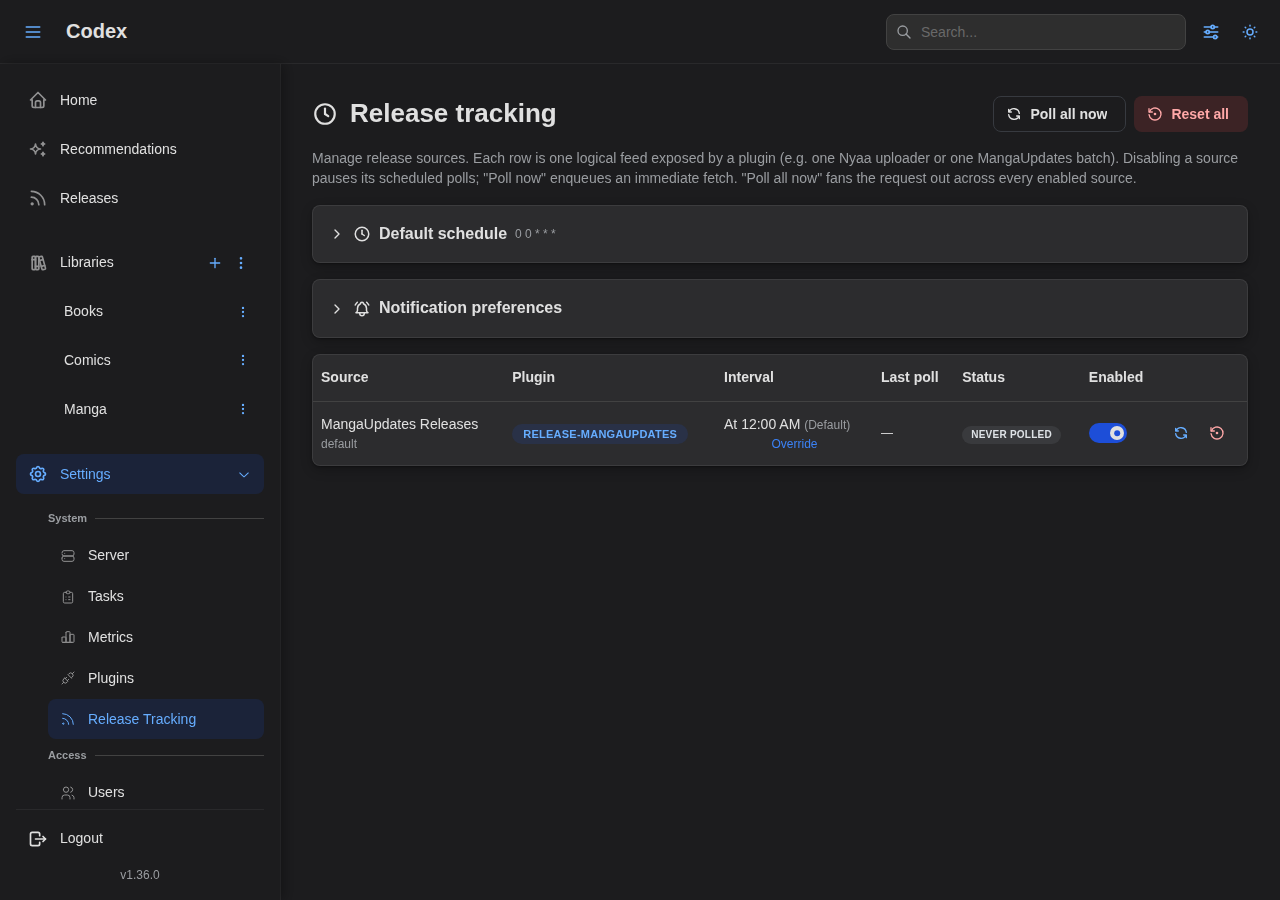
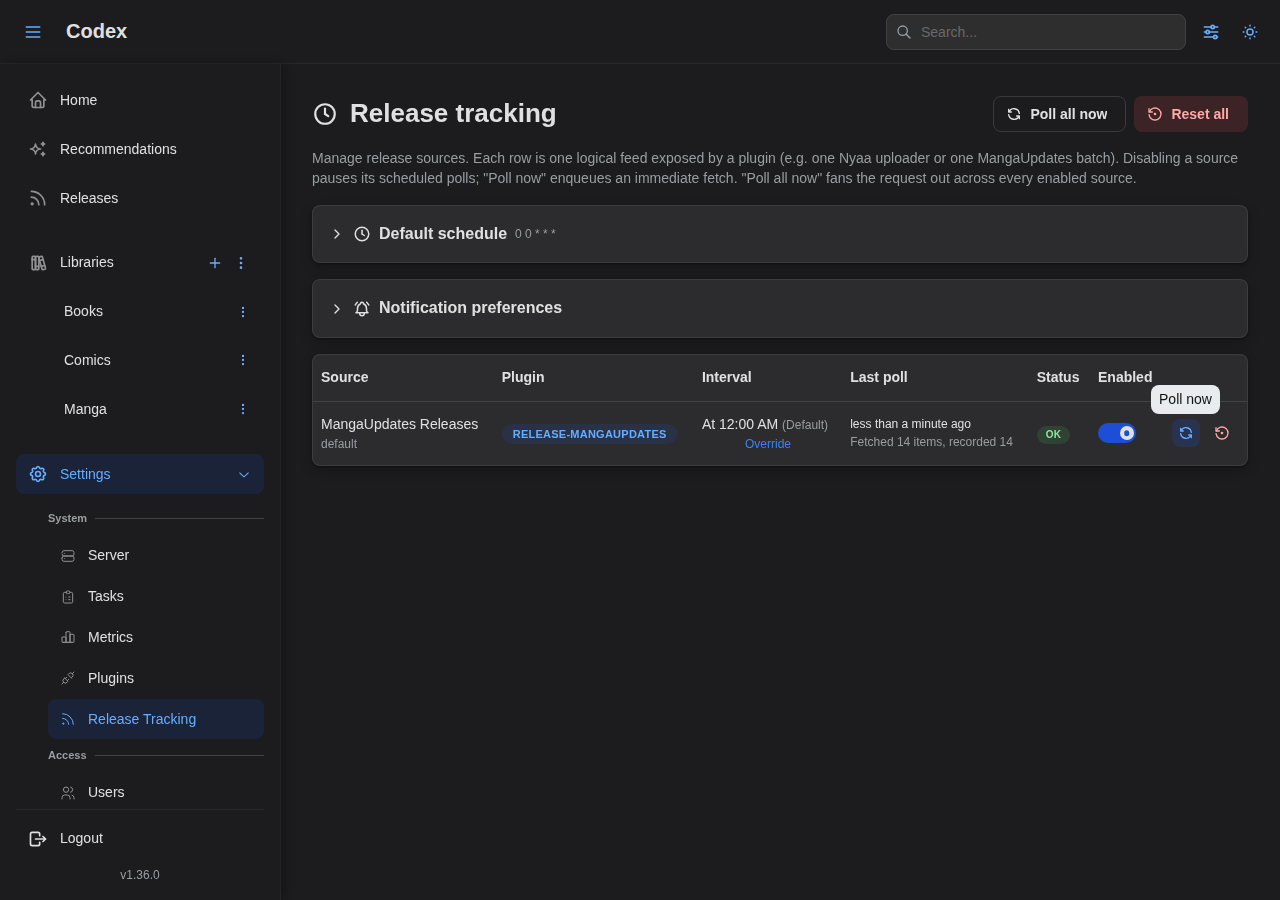
Open Settings → Release tracking. The page shows a default-schedule card and a table of every release source registered by installed plugins.
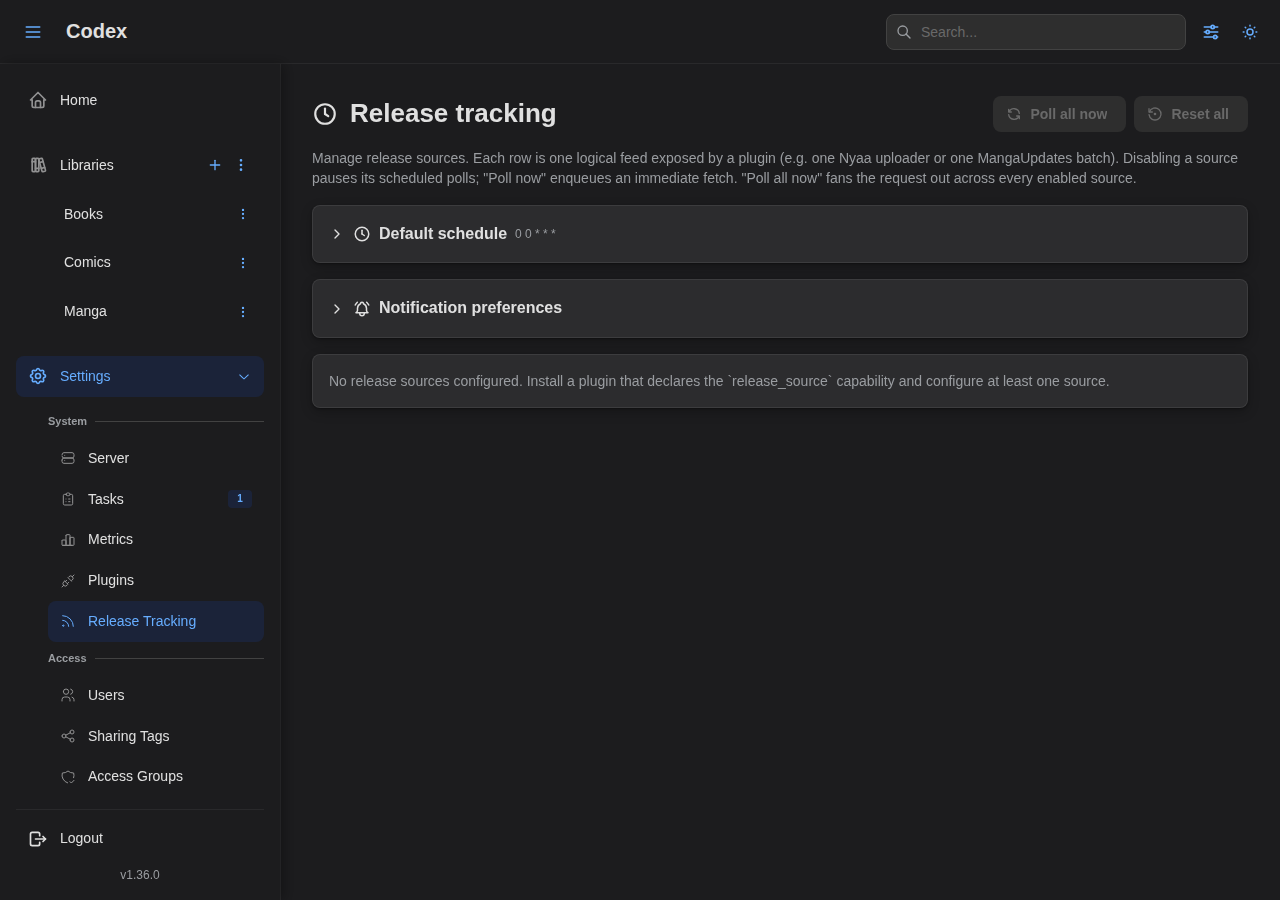
Each row exposes:
- An enable toggle. When off, the scheduler skips this source.
- A poll interval input (seconds). Defaults to 24 hours per source.
- A Poll now action that runs an out-of-band poll immediately. Useful after enabling tracking on a new series.
- A status badge:
Never polled,OK, orErroredwith the last error message on hover.
You can also set the default languages for the whole server here. This is consumed by language-aware plugins (currently MangaUpdates) when a series doesn't override its own language list.
Adding more sources
You don't add sources directly. Sources are materialized by their plugin:
- MangaUpdates registers exactly one row when the plugin starts.
- Nyaa registers one row per entry in its
uploadersconfig (a comma-separated list of usernames or queries). Add or remove uploaders in the plugin's config modal and save; the rows update on the next plugin restart.
See the per-plugin docs for the configuration knobs.
Enable tracking on a series
Open a series detail page and expand the Release tracking card.
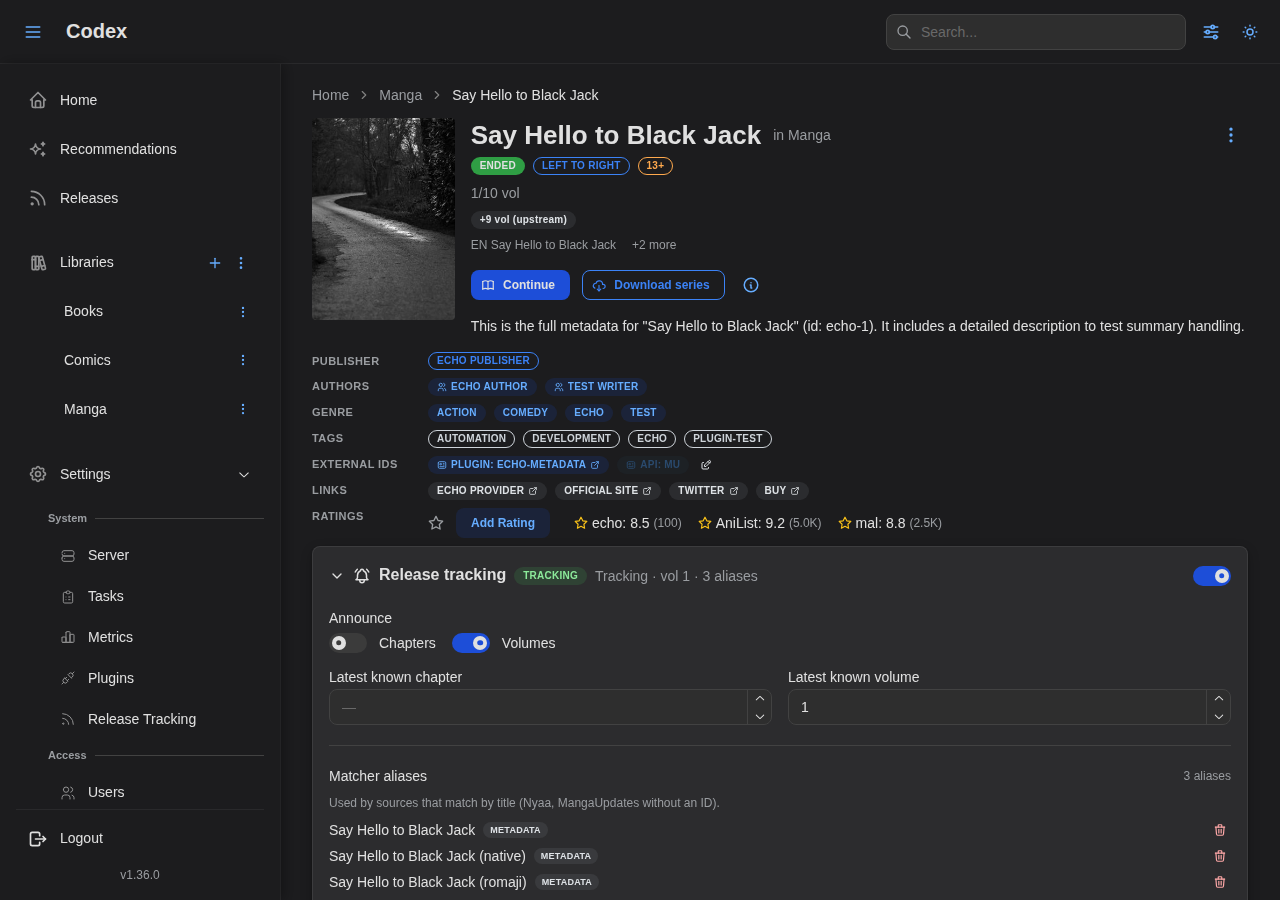
What to set:
- Toggle tracking on. The card switches from "Tracking disabled" to "Tracking enabled" and starts including the series on the next poll.
- Add aliases if the series' canonical title differs from how the source names it. For example, MangaUpdates may use a different romanization, and Nyaa uploaders use shortened group-prefixed names. Aliases let the matcher resolve those.
- Add an external ID when the source supports ID-keyed matching. For MangaUpdates, set source
mangaupdates(orapi:mangaupdates) and the numeric series ID from the URL. ID matches skip alias fuzz entirely and have confidence 1.0.
The Tracking card shows the high-water marks as the ledger advances:
- Latest known chapter / volume: the highest chapter/volume ever announced. Only releases in the series' effective language list advance this.
- External IDs: the (source, id) pairs the matchers use. Edit via the pencil icon next to the IDs.
Polling immediately
After enabling tracking on a new series, hit Poll now on the relevant source row in Settings → Release tracking to materialize matches without waiting for the daily poll.
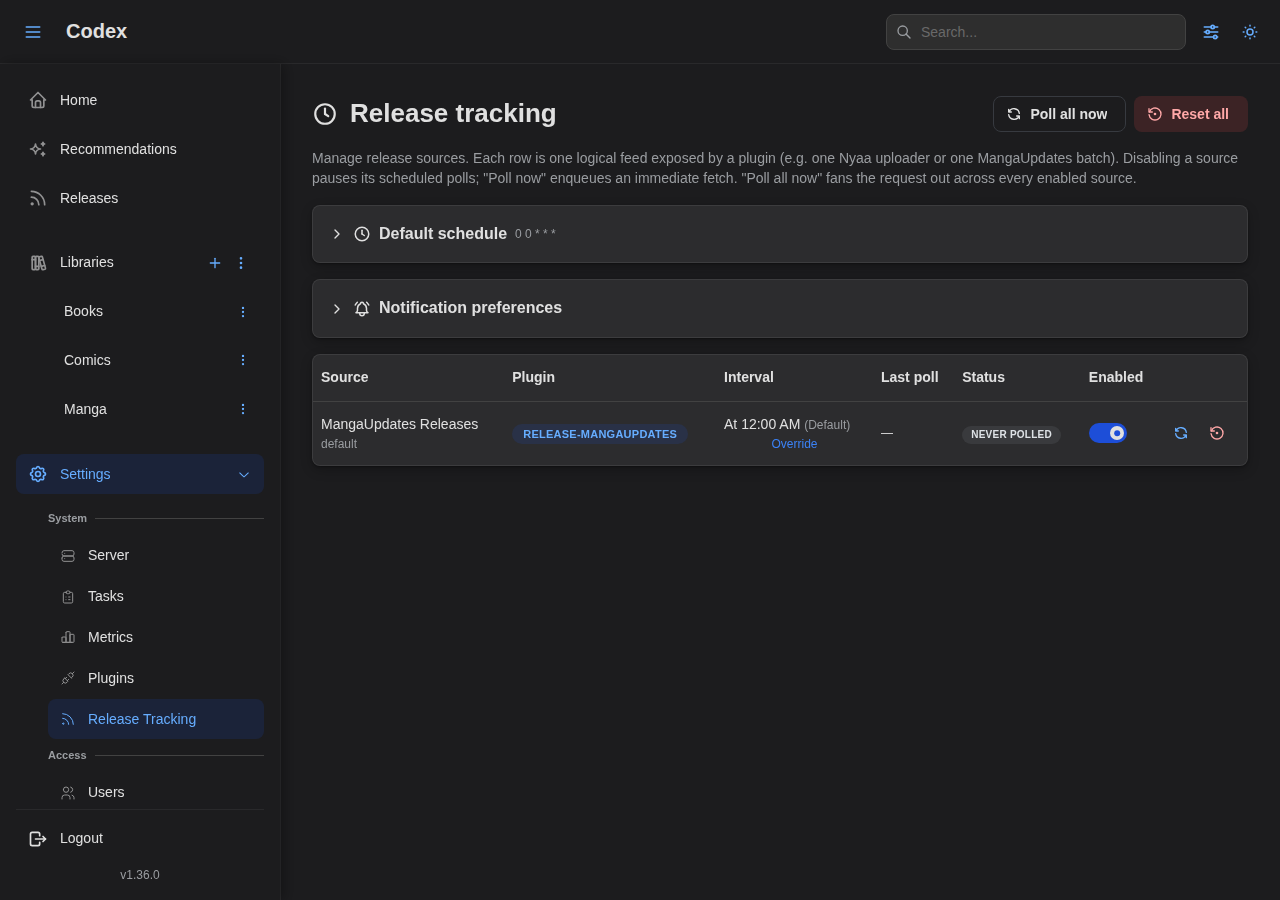
The button shows a spinner while the poll runs and the row updates with the new last-polled timestamp and status badge once it settles.
The releases inbox
Click Releases in the sidebar. The inbox shows every release the ledger has accepted, grouped by state.
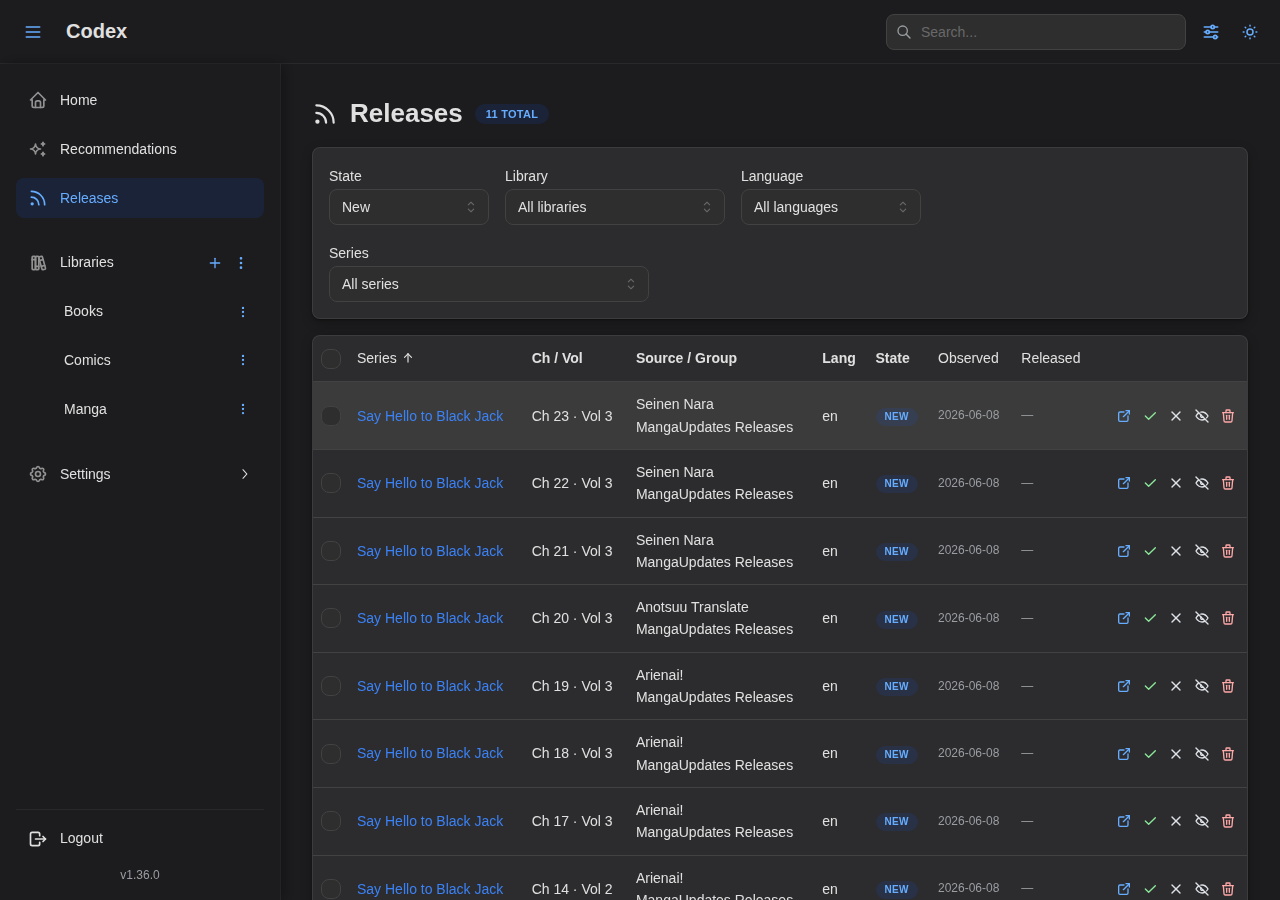
The default view is New (announced, not yet acted on). Use the state filter to see Acquired, Dismissed, or All.
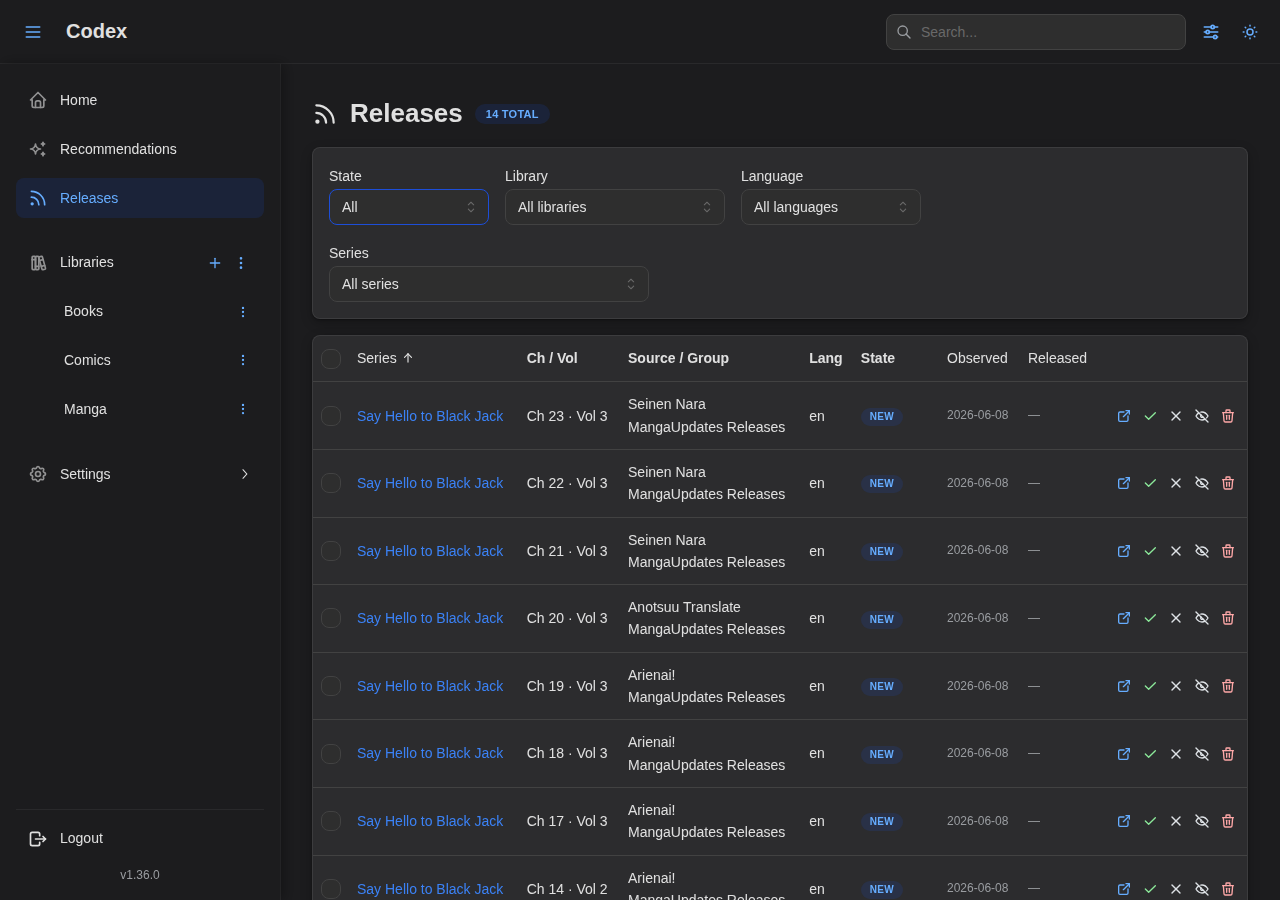
Each row carries:
- Series with cover thumbnail and link to the detail page.
- Chapter / volume range parsed from the source.
- Group / uploader / language as applicable.
- Source badge (which plugin produced the row).
- Open action: opens the source's release page in a new tab. Codex never fetches the underlying file.
- State controls: mark as Acquired or Dismissed individually, or use the bulk-selection bar across multiple rows.
State transitions are user-driven; nothing automatically clears the inbox. Use the bulk-delete action to prune old rows you don't care about.
The series-level releases panel
Each tracked series gets a Releases panel on its detail page that mirrors the inbox, scoped to that series.
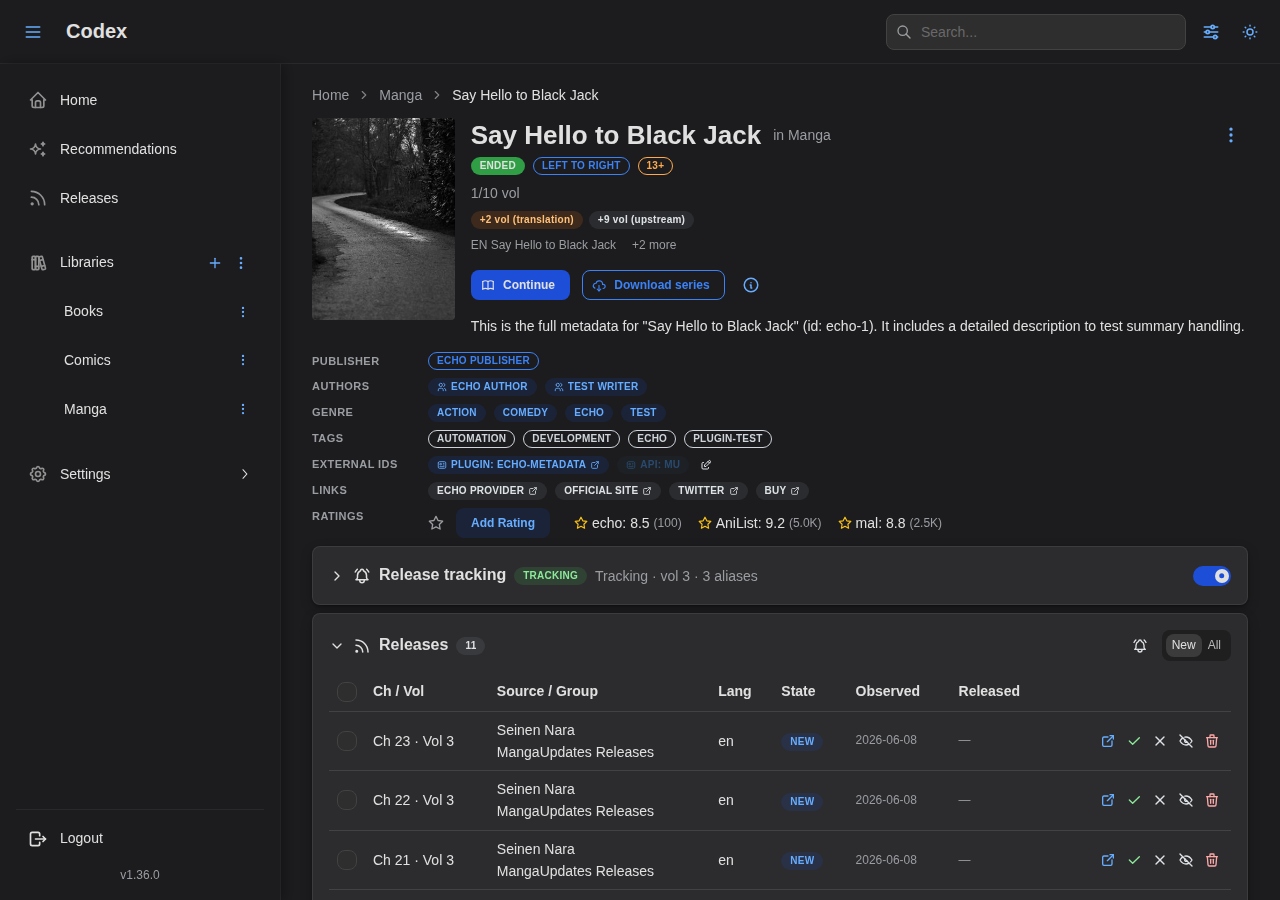
This is the right place to look when you're answering "what's the latest chapter of X I haven't acquired yet?" without leaving the series page.
Languages
Language handling is plugin-dependent.
- MangaUpdates carries an explicit language tag on every release. The plugin filters announcements to the languages you've configured per-series (or the server default if unset).
- Nyaa has no language tag. The plugin assumes English-only by default; if you add non-English uploaders, configure the relevant tracked series'
languagesso the high-water mark doesn't advance on releases the user can't read.
See the MangaUpdates plugin docs for the language-code reference and per-series override instructions.
Notifications & badges
The sidebar's Releases entry shows a count badge for the number of New releases. The badge clears as you mark rows as Acquired or Dismissed.
There's no email/push-notification integration in Codex itself; the inbox + badge are the source of truth. Wire your own notifier on top of the API if you need one (/api/v1/releases?state=new returns the same list).
Discovering series you don't own yet
Release tracking only watches series that are already in your library. To find new series you haven't started collecting, see Tsundoku, a standalone companion service that polls discovery sources and keeps a browsable catalog of titles not yet in Codex. It reads your library over Codex's API to skip the ones you already have.
Disabling a source
Three levels of off-switch, from softest to hardest:
- Disable a source row in Settings → Release tracking. Pauses scheduled polls for that source while preserving its ledger history. Re-enabling resumes from where it left off.
- Untrack a series by flipping its tracking toggle off on the detail page. Polls keep running for other series; this one is excluded.
- Uninstall the plugin in Settings → Plugins. Removes the source rows entirely; ledger rows for that source are pruned via cascade.
Troubleshooting
"Never polled" status persists
The scheduler may not have fired yet (default cadence is 24h). Use Poll now on the row to force an immediate run and see the result.
Matches that should land aren't landing
For MangaUpdates: verify the series has a mangaupdates external ID. Without one the plugin silently skips the series; fuzzy title matching is disabled by design.
For Nyaa: verify the series has aliases that mirror how the uploader names the release. The default normalizer is forgiving but won't bridge missing tokens. The Nyaa plugin's confidence floor is 0.85 (Sørensen-Dice), so a one-word alias against a five-word filename will be rejected.
Status flips to Errored
Hover the badge to see the upstream message. Common causes are 429 (rate limited; back off the poll interval) and transient 5xx errors (wait for the next poll). Repeated failures auto-disable the plugin via the plugin health system; re-enable after fixing the upstream cause.
A release announced in the wrong language
Drop it from the inbox and tighten the series' languages list. The forward-only design means the existing row stays. Use the inbox's language filter to scope the view, or bulk-delete to clear it.