Nyaa Releases Plugin
The Nyaa Releases plugin announces new chapter and volume torrents for tracked series by polling Nyaa.si user RSS feeds. Unlike the MangaUpdates plugin, which tells you what has been released in your languages, the Nyaa plugin tells you where to download a release that exists. It is notify-only: Codex never downloads torrents.
What it's for
Nyaa is an acquisition-pointer source. It complements (not replaces) the translation-feed plugins:
- MangaUpdates answers: "Has chapter 143 been released in English?"
- Nyaa answers: "Is there a torrent for chapter 143 from a trusted uploader?"
Use Nyaa when you've already decided on a small allowlist of trusted uploaders (e.g. 1r0n) and want a single feed of "new releases from these people" filtered down to your tracked series.
Features
- Per-uploader (or per-search-query) RSS polling against Nyaa.si user feeds.
- Alias-based series matching: each parsed Nyaa title is normalized and compared to every tracked series' alias list.
- Confidence scoring: exact normalized match → 0.95; fuzzy near-match (Sørensen-Dice) → 0.7-0.85; everything below is dropped before reaching the host.
- Format-hint extraction:
(Digital),(JXL),(Magazine), etc. surface on the candidate'sformatHintsfor downstream filtering. - Volume and chapter ranges are recognized:
[1r0n] Boruto v01-14 (Digital)and[Group] Dandadan c126-142 (Digital)parse correctly and pass both ends to the host. - Idempotent ledger writes (re-polling never re-announces an already-seen release).
- Daily default poll interval; conditional GETs (ETag + Last-Modified) keep bandwidth low.
- Per-host backoff is driven by the host on 429 / 503 responses.
How it works
The plugin auto-materializes one release source row per uploader entry on first start (and on every config save, which restarts the plugin).
- You set the plugin's
uploadersconfig to a comma-separated list (see Setup below). - On startup the plugin parses the list and calls
releases/register_sourcesover the host RPC channel. The host upserts one row per entry inrelease_sourceskeyed on(plugin_id, sourceKey)wheresourceKeyiskind:identifier(e.g.user:tsuna69,query:luminousscans,params:c=3_1&q=berserk). - Each row gets its own poll cadence (default 24h, overridable in Settings → Release tracking), its own ETag, and its own last-error / last-polled status. The scheduler fires one
releases/polltask per row. - When the host calls
releases/poll(sourceId, sourceKey, config, etag), the plugin recovers the subscription fromconfig.subscriptionand fetches just that uploader's feed:- User feed:
https://nyaa.si/?page=rss&u=<username> - Plain search:
https://nyaa.si/?page=rss&q=<query> - URL-style params:
https://nyaa.si/?page=rss&
- User feed:
- Each RSS item is parsed: a leading
[Group]token, chapter / volume token (single or range), and parenthesized format hints are extracted; the remaining text is the series guess. - The series guess is normalized and matched against tracked-series aliases. Confidence ≥ 0.95 on exact normalized match; otherwise the matcher computes a token-level Dice ratio and rejects below 0.85.
- Matching candidates are submitted to the host's release ledger via
releases/record. The host applies its threshold (default 0.7) and dedups on(source_id, external_release_id)and oninfo_hash(Nyaa'snyaa:infoHashelement).
Removing an entry from the uploaders list and re-saving prunes the corresponding row and its release_ledger history (cascade delete). User-managed fields (enabled, pollIntervalS) survive plugin restarts.
The plugin never downloads release files. The "Open" link on the inbox row sends you to the Nyaa view page or the .torrent URL; how you acquire the chapter is up to you.
Setup
1. Configure uploader subscriptions
The plugin's uploaders admin field is a comma-separated list of trusted uploader handles or queries. Each entry takes one of three forms:
| Form | Example | What it polls |
|---|---|---|
username | tsuna69 | https://nyaa.si/?page=rss&u=tsuna69 — that uploader's full RSS feed. |
q:<text> | q:LuminousScans | https://nyaa.si/?page=rss&q=LuminousScans — a plain site-wide search. |
q:?<key=value> | q:?c=3_1&q=Berserk | URL-style search with allowlisted keys: q, c, f, u. The example here scopes a search to the Literature → English-translated category. |
Mix freely:
{
  "uploaders": "tsuna69,TankobonBlur,q:LuminousScans,q:?c=3_1&q=Berserk"
}
Empty tokens are dropped; case-insensitive duplicates are silently deduplicated. URL-style entries normalize their param order so q:?q=X&c=3_1 and q:?c=3_1&q=X collapse to the same source row. Anything not on the allowlist (s=, o=, etc.) is dropped without error.
After saving, head to Settings → Release tracking to see the per-source rows the plugin registered. Each row has its own enable toggle, poll-interval input, and "Poll now" button. Disabling a row pauses its scheduled polls; deleting an entry from the uploaders CSV (and saving) removes the row entirely.
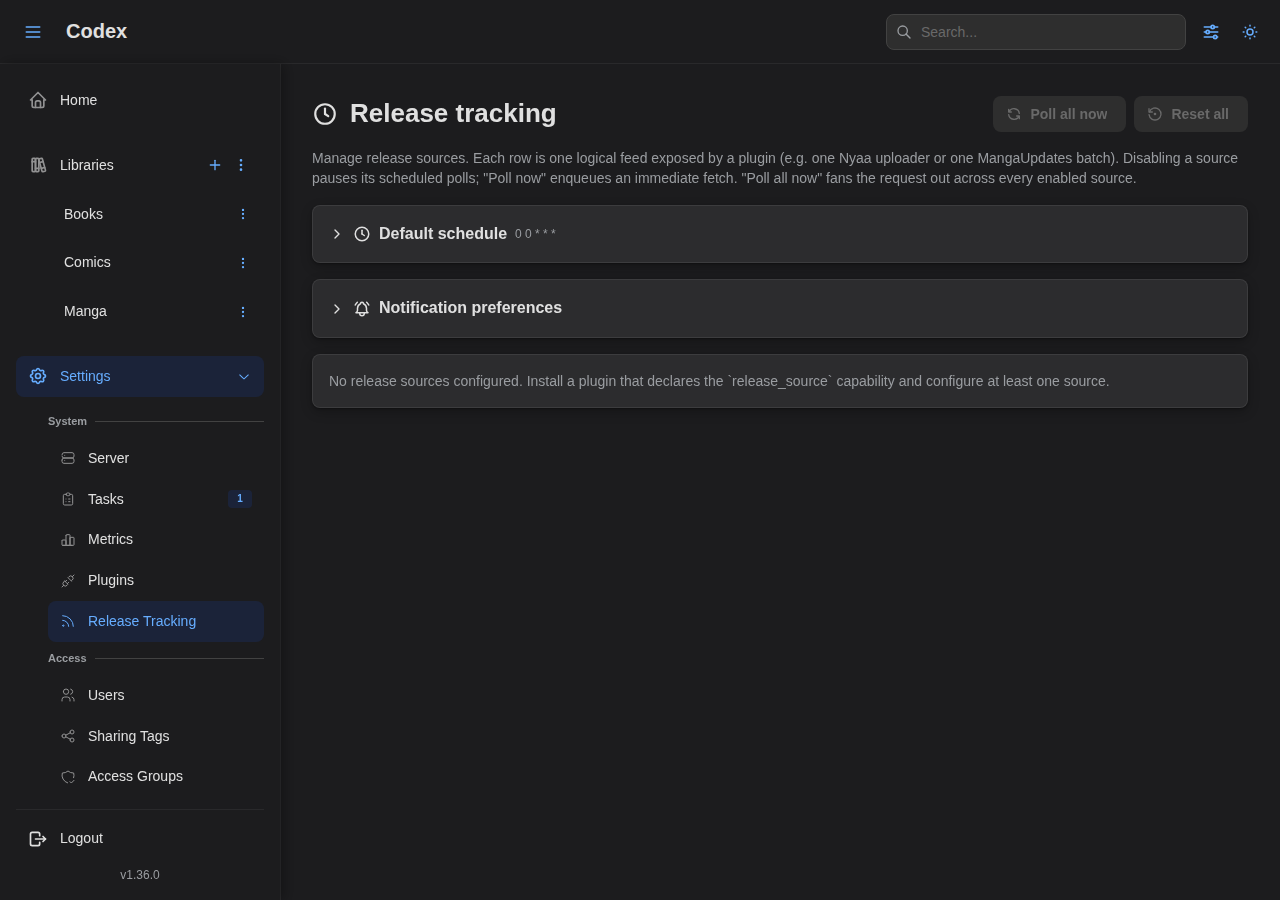
See the Release Tracking guide for the inbox UX and the per-series tracking toggle. Once a row is registered here, the rest of the flow (enabling tracking on a series, polling on demand, the inbox) is identical for Nyaa and MangaUpdates.
2. Make sure tracked series have aliases
Nyaa releases identify a series only by name in the title. The plugin matches titles to series via the series_aliases table:
- The
BackfillTrackingFromMetadatatask (Phase 1) seeds aliases from each series'series_metadata.title,title_sort, and alternate titles. - You can also add aliases manually via the Tracking panel on a series detail page.
For best results, add aliases that mirror how your trusted uploaders name the release. Example: 1r0n names Boruto: Two Blue Vortex as [1r0n] Boruto - Two Blue Vortex - Volume NN (Digital). The default normalization produces boruto two blue vortex from both forms, so an exact match is automatic — but if you track Boruto with only the alias Boruto, the matcher will see boruto two blue vortex and reject it as not similar enough to boruto.
Configuration reference
| Field | Scope | Default | Notes |
|---|---|---|---|
uploaders | admin | "" | Comma-separated subscription list. See the table above for the three accepted entry forms. |
requestTimeoutMs | admin | 10000 | Hard timeout per Nyaa fetch. Clamped to [1000, 60000]. |
baseUrl | admin | https://nyaa.si | Override base URL — useful for mirrors. Trailing slashes are trimmed. |
Limitations
- Language is hardcoded to English. Nyaa releases don't carry a language tag, and the uploaders this plugin targets predominantly release English-language scans. Admins who add non-English uploaders should configure tracked series'
languagesaccordingly so the host'slatest_known_*advance gate doesn't pollute the high-water mark with releases the user can't read. - Title parsing is best-effort. The corpus covers the common 1r0n / TankobonBlur shapes plus generic
Volume NN/Chapter NNNforms. Edge-case titles (e.g. unusual punctuation, missing separators) may parse with an emptyseriesGuess; the matcher silently rejects those entries (no false positives). - No per-uploader confidence weighting yet. Every matched candidate gets the same confidence based on the alias match alone. Adding per-uploader trust scores (downgrade an uploader after N user dismissals) is a future enhancement.
Risks
- Rate limits. Nyaa serves RSS publicly without API keys, but it's a small site and aggressive polling is unwelcome. The plugin uses a daily default cadence and per-host backoff (driven by the host) to back off on 429 / 5xx responses. Don't reduce the interval below the default unless you have a specific reason.
- Title-parsing false positives. Alias-only matching is fundamentally fuzzier than the external-ID match used by MangaUpdates. The matcher's 0.85 Dice floor + 0.95 exact-confidence give the host's threshold (default 0.7) enough headroom to drop bad matches, but watch the inbox for the first few days after enabling and dismiss anything mis-matched. Repeated dismissals tell you which series need additional aliases.
- Quality varies by uploader. This is acquisition pointer data. The plugin doesn't validate that the underlying torrent is what its title claims to be; that's why the user maintains the uploader allowlist.