Open Library Metadata Plugin
The Open Library metadata plugin fetches book metadata from Open Library, a free and open source library catalog. It provides automatic metadata enrichment for your ebooks and comics using ISBN-based lookup and title search.
Features
- ISBN lookup - Direct lookup by ISBN-10 or ISBN-13 (fastest, most accurate)
- Title/author search - Search by book title and author name
- Cover images - Download cover images in multiple sizes
- Structured authors - Author names with roles
- Subject extraction - Categories and subjects from Open Library
- External links - Links back to Open Library book pages
Installation
- Copy the
metadata-openlibraryplugin folder to your Codex plugins directory - Restart Codex or reload plugins
- The plugin will appear in Settings > Plugins
Plugin Permissions
The Open Library plugin requests the following permissions:
| Permission | Purpose |
|---|---|
MetadataRead | Read existing book metadata to determine search parameters |
MetadataWriteTitle | Update book title |
MetadataWriteSummary | Update book summary/description |
MetadataWritePublisher | Update publisher name |
MetadataWriteYear | Update publication year |
MetadataWriteIsbn | Update ISBNs |
MetadataWriteSubtitle | Update subtitle |
MetadataWriteAuthors | Update structured author list |
MetadataWriteSubjects | Update subject categories |
MetadataWriteOriginalTitle | Update original title |
MetadataWriteOriginalYear | Update original publication year |
MetadataWriteEdition | Update edition information |
How It Works
Search Priority
When matching a book, the plugin uses the following priority:
- ISBN (if available) - Direct lookup via Open Library's ISBN API. This is the fastest and most accurate method (99% confidence).
- Title + Author (fallback) - Text search using the book's title and author names. Results are ranked by title similarity (max 85% confidence).
Metadata Mapping
| Open Library Field | Codex Field | Notes |
|---|---|---|
title | Title | |
subtitle | Subtitle | |
authors[].name | Authors | Mapped with "author" role |
publishers[0] | Publisher | First publisher used |
publish_date | Year | Year extracted from date string |
isbn_13 / isbn_10 | ISBNs | ISBN-13 preferred |
subjects | Subjects | |
description | Summary | May be plain text or object with value key |
first_publish_date | Original Year | Year of first publication |
languages[0] | Language | Converted from Open Library format |
| Covers | Cover Images | Available in small, medium, and large sizes |
Cover Images
The plugin provides cover images in three sizes:
| Size | Approximate Dimensions | Use Case |
|---|---|---|
| Small | ~50x75 | Thumbnails, lists |
| Medium | ~180x270 | Grid views, cards |
| Large | ~300x450+ | Detail pages |
Cover images are sourced from Open Library's cover API using the book's ISBN or cover ID.
Configuration
The plugin supports the following configuration options:
| Option | Type | Default | Description |
|---|---|---|---|
maxResults | number | 10 | Maximum search results to return (1-50) |
Configure in Settings > Plugins > Open Library > Configuration.
Usage
Automatic Matching
When a book is scanned and has an ISBN (from EPUB metadata or ComicInfo.xml), the plugin can automatically fetch metadata:
- Navigate to a book's detail page
- Click Fetch Metadata (or the plugin action button)
- The plugin searches Open Library using the book's ISBN
- Review the metadata preview
- Apply the metadata
Manual Search
For books without ISBNs, you can search manually:
- Navigate to a book's detail page
- Click Fetch Metadata
- Enter a search query (title, author, or ISBN)
- Select the correct match from the results
- Apply the metadata
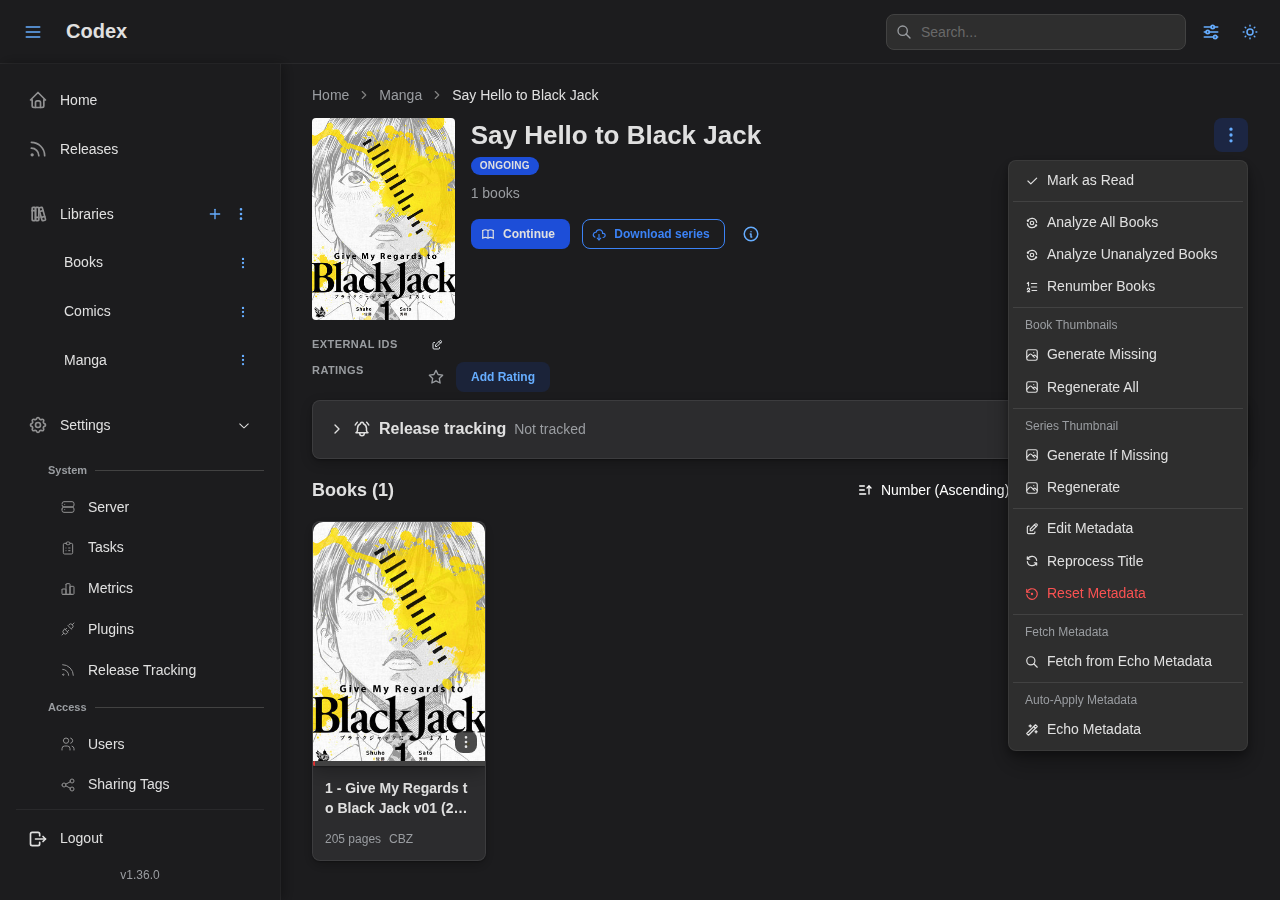
The plugin's actions surface from the series detail dropdown:
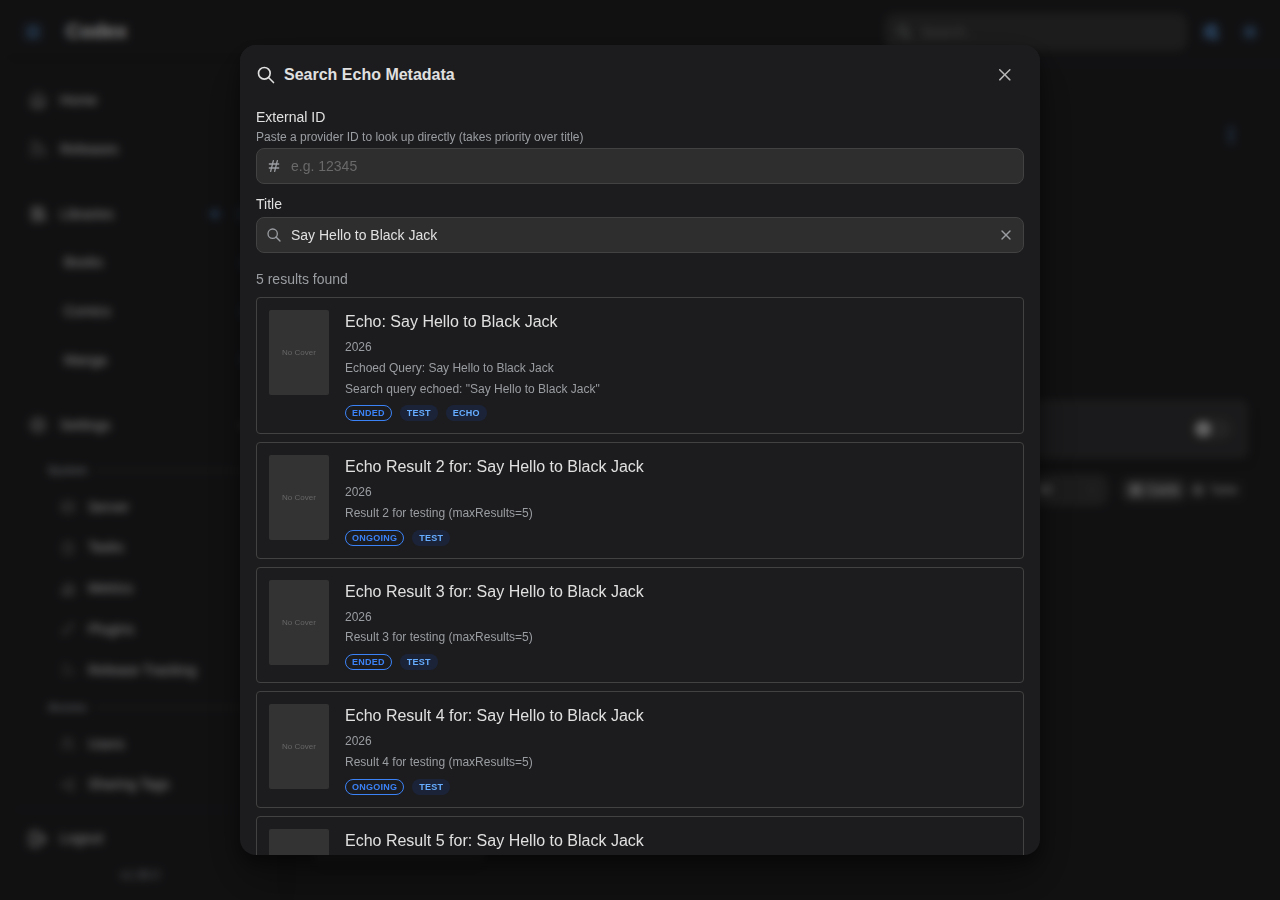
Search results show ranked candidates:
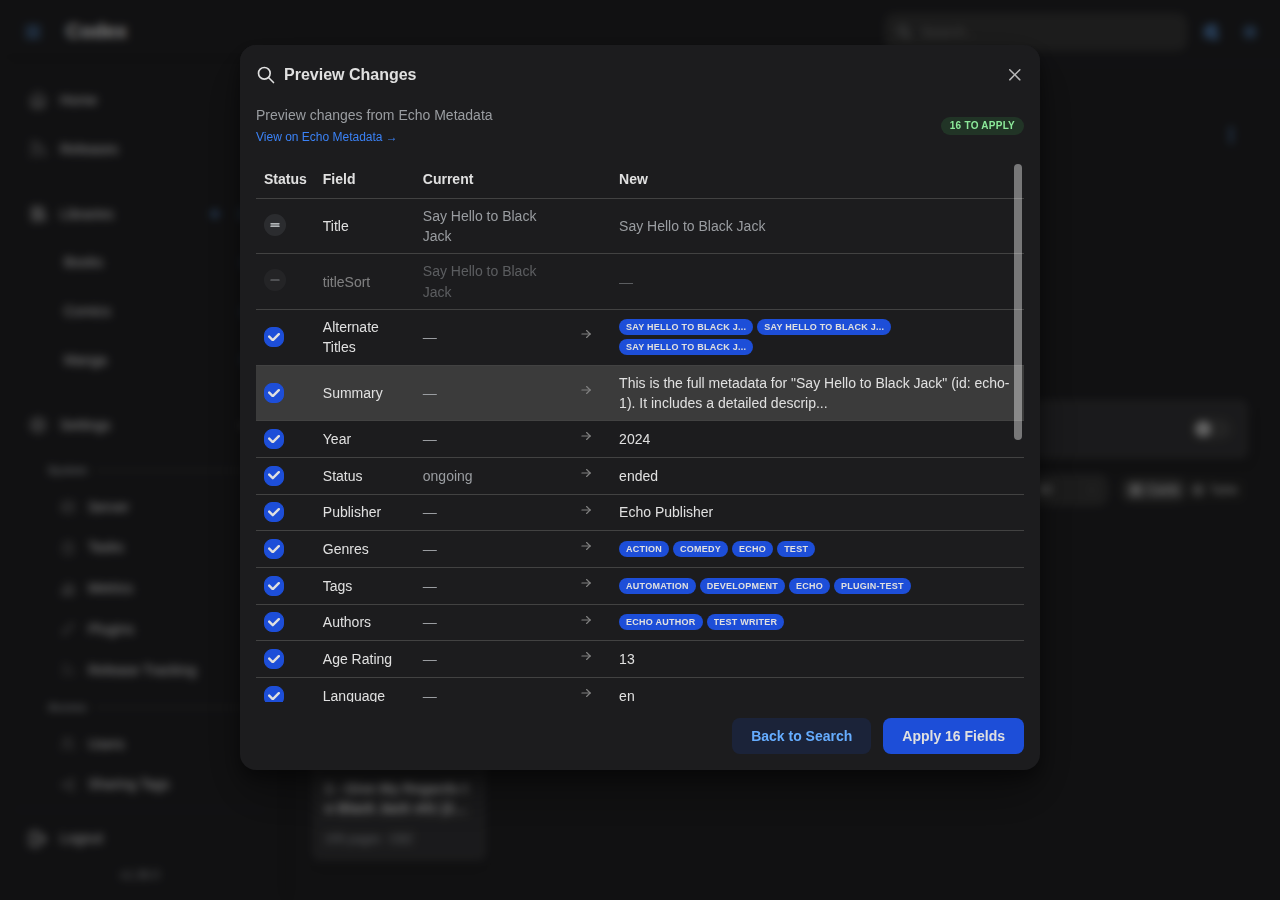
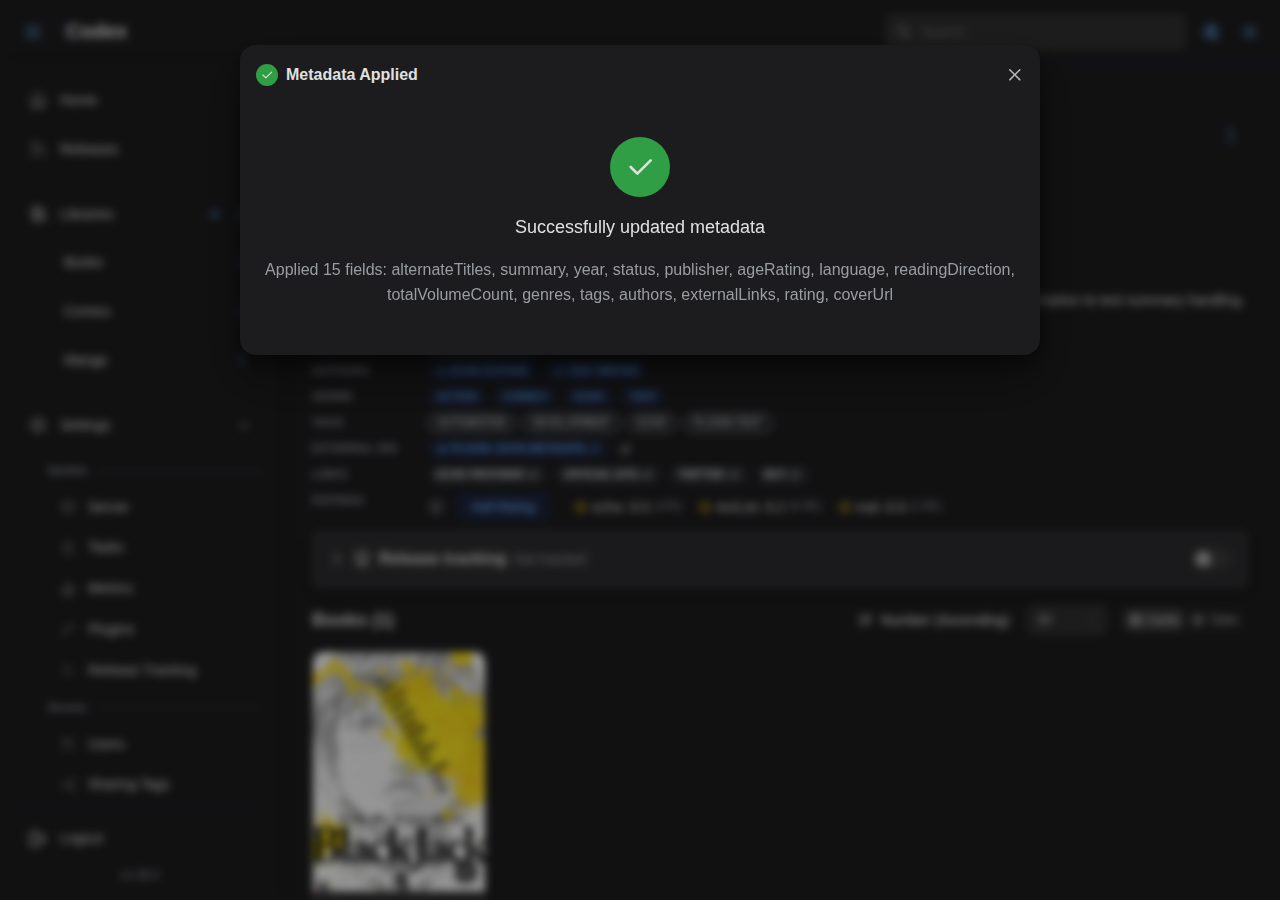
After picking one, the metadata diff preview shows what will change before you apply:
Re-fetching Metadata
Once a book has been matched to an Open Library entry, the external ID is stored. Future re-fetches use this stored ID to skip the search step, going directly to the metadata retrieval.
API Rate Limits
Open Library is a free service. The plugin includes built-in caching (15-minute TTL) to minimize API calls and respect the service. No API key is required.
Troubleshooting
No Results Found
- Verify the ISBN is correct (check for typos)
- Try searching by title instead of ISBN
- Some books may not be in Open Library's catalog
- Check that the plugin has network access to
openlibrary.org
Incorrect Metadata
- Open Library is community-maintained; some entries may have errors
- Use the metadata lock feature to prevent overwriting manually corrected fields
- You can edit individual fields after applying plugin metadata
Missing Covers
- Not all Open Library entries have cover images
- Try a different edition of the same book (different ISBN)
- Upload a custom cover image instead
Next Steps
- Book Metadata - Book types and extended fields
- Filtering & Search - Filter by book type
- Custom Metadata - Custom metadata templates